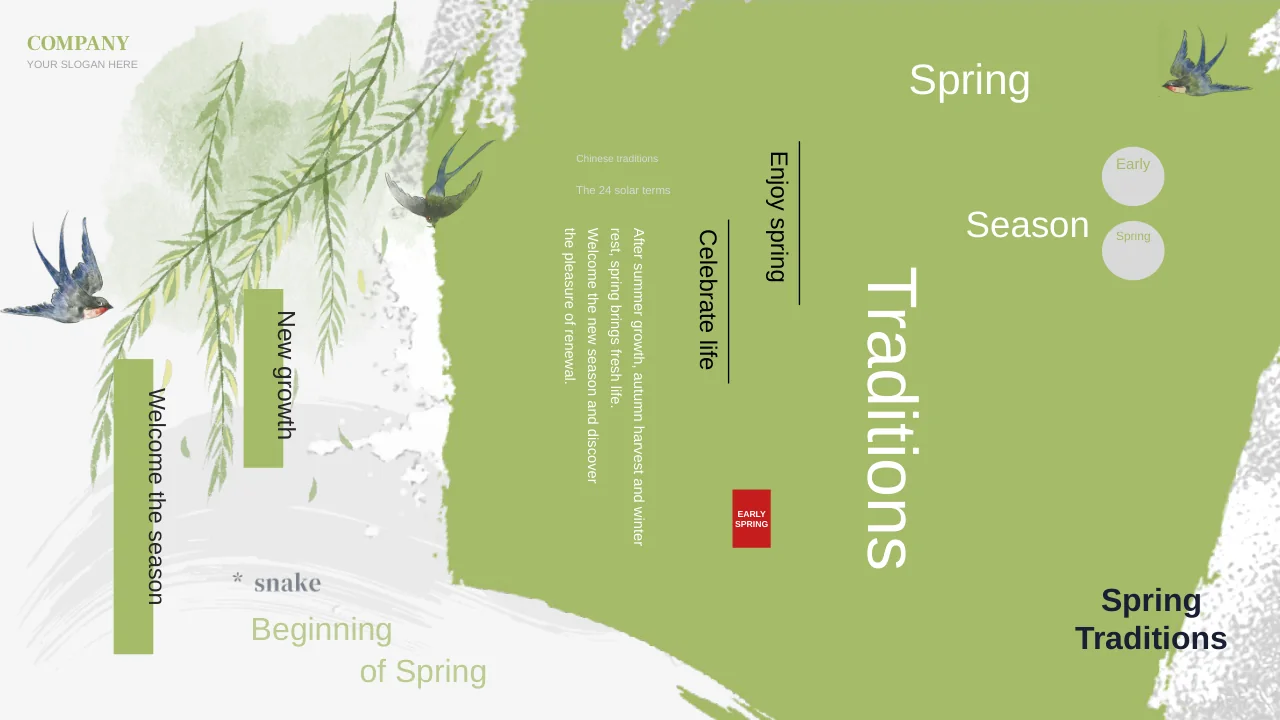
Woodland Book Sharing Presentation Template: woodland characters and hanging boards for a book conversation
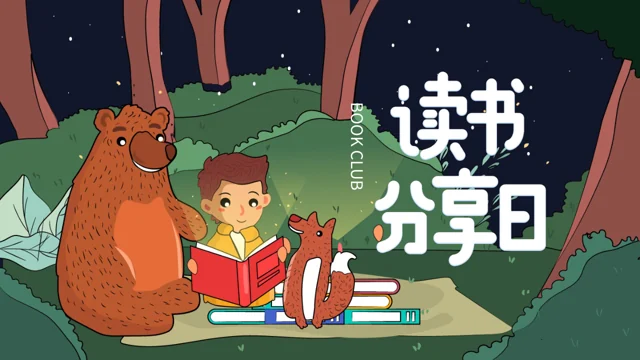
Woodland Book Sharing Presentation Template invites a book conversation into a night forest. A child with a red book, a bear and a fox appear beside trees. Its 25 original 16:9 pages alternate woodland scenes with white hanging boards. Woodland Book Sharing Presentation Template has an index and four section pages at 3, 9, 15 and 21, and a thank-you ending. Inside, open-book, painter, backpack and classroom illustrations accompany reading prompts. Woodland Book Sharing Presentation Template also includes numbered note groups, speech bubbles, a circle with arrows and drawn bars. These are static layouts and illustrations, not linked data charts or working controls. Ordinary editable titles and guidance are in English; original wording remains in same-page reference notes, and Chinese letters within artwork stay in pictures. Woodland Book Sharing Presentation Template retains the original recording and images. Use brief passages, hear different views and choose activities for the book.
Key Features of Woodland Book Sharing Presentation Template
A night forest, friendly characters and clear spaces to talk about books.
A Woodland Reading Scene
Woodland Book Sharing Presentation Template places a reader beside a bear and fox in a night forest. Keep the characters as decoration while introducing your book.
White Hanging Boards
Woodland Book Sharing Presentation Template uses white hanging boards for notes. Add a heading and a brief passage without covering the decorative frame.
Four Sections and an Index
Woodland Book Sharing Presentation Template has an index and four section pages. Arrange book choice, notes, shared activities and recommendations for your meeting.
Cartoon Reading Activities
Woodland Book Sharing Presentation Template adds a painter, backpack and classroom pictures. Use the prompts for a drawing, a passage to bring or a group response.
Speech Bubbles and Arrows
Woodland Book Sharing Presentation Template includes speech bubbles and a circle with arrows. Add different reader responses to these static discussion drawings.
Numbered Notes and a Closing Page
Woodland Book Sharing Presentation Template combines numbered notes with a thank-you ending. Sum up a reading point and leave the group with a next-book suggestion.
How to Use Woodland Book Sharing Presentation Template
Plan the reading, prepare short prompts and check your presentation.
-
Choose a Book and Plan the Meeting
Inspect all 25 pages of Woodland Book Sharing Presentation Template. Choose the hanging-board layouts and section pages that fit your book, then plan a short reading and questions for the group.
-
Download a Working Copy
Download Woodland Book Sharing Presentation Template with an active paid plan. Daily downloads are unlimited and repeatable. Keep the original while adding reading notes to a working copy.
-
Add Prompts and Test the File
Add passages and questions to Woodland Book Sharing Presentation Template. Review board text, speech bubbles, numbered labels, fonts and audio, then reopen the saved file before sharing.
Questions about Woodland Book Sharing Presentation Template
Who can use Woodland Book Sharing Presentation Template for a reading session?
Woodland Book Sharing Presentation Template offers a woodland setting with a child reading beside a bear and fox. The cartoon tone of Woodland Book Sharing Presentation Template can support a classroom book conversation or an informal reading group when it suits the audience. Choose the book and level of discussion yourself in Woodland Book Sharing Presentation Template rather than treating the supplied pictures as evidence of a particular school or age group. Adapt the prompts in Woodland Book Sharing Presentation Template to invite observations, short passages and different responses instead of presenting sample words as a completed lesson. Use Woodland Book Sharing Presentation Template for a manageable conversation with time for readers to explain their ideas. The pictured people and characters are visual material, not verified participants or endorsements.
How should I arrange text on the hanging boards of Woodland Book Sharing Presentation Template?
Woodland Book Sharing Presentation Template places much of its editable guidance inside white boards hanging from the woodland scene. Keep one main point in each area of Woodland Book Sharing Presentation Template and give a short quotation its page reference rather than pasting a long book extract. In Woodland Book Sharing Presentation Template, a small heading can identify a scene, person, question or detail while the nearby sentence explains what readers should notice. Check the board edges and hanging straps when editing Woodland Book Sharing Presentation Template so that text remains separate from the decorative frame. The large Chinese reading artwork on the cover of Woodland Book Sharing Presentation Template stays inside its original picture and is not an ordinary title box. A new editable heading does not translate or replace the lettering within that artwork.
Where are the sections in Woodland Book Sharing Presentation Template?
Woodland Book Sharing Presentation Template begins with a four-item index and has section pages on 3, 9, 15 and 21. The English guide in Woodland Book Sharing Presentation Template introduces books, reading notes, shared activities and a next-reading choice through those breaks. You can use the first section of Woodland Book Sharing Presentation Template to name a book and explain why you chose it before discussing a memorable passage. Later pages of Woodland Book Sharing Presentation Template can gather responses or suggest a drawing and other simple ways to explore the text. When selecting only part of Woodland Book Sharing Presentation Template, update the index to match the pages that remain. The four section scenes help structure the session, but they do not require four different books or a fixed lesson length.
Do the numbers and bar picture in Woodland Book Sharing Presentation Template show reading results?
Woodland Book Sharing Presentation Template has numbered circles, labels and note groups that organise the reading prompts. Use the numbered areas of Woodland Book Sharing Presentation Template for separate observations or questions, without presenting them as calculated learning scores. The bar drawing near the end of Woodland Book Sharing Presentation Template is a static illustration with no linked workbook or editable numerical series. The file of Woodland Book Sharing Presentation Template contains no native data charts, tables or embedded workbooks. Keep the distinction clear in Woodland Book Sharing Presentation Template between a decorative drawing, your reading notes and any measured information you supply from another verified source. Changing a caption does not change the bars printed in the picture, and the supplied layout does not establish audience outcomes.
How can I use the speech bubbles in Woodland Book Sharing Presentation Template?
Woodland Book Sharing Presentation Template uses dark speech bubbles, a central circle with arrows and connected oval bubbles as visual discussion aids. In the two-reader layout of Woodland Book Sharing Presentation Template, write a brief question and a response without pretending the illustrated people made those remarks. The circle-and-arrow page of Woodland Book Sharing Presentation Template can collect a book title, a reason to read it, a starting question and a next step. On the connected-bubble page of Woodland Book Sharing Presentation Template, distinguish the central idea from a question and a reply, keeping light text readable on the dark shapes. The supplied diagrams in Woodland Book Sharing Presentation Template are static artwork rather than clickable buttons or automatically connected data. Their arrows suggest a relationship that you explain; they do not run an activity by themselves.
What activities fit the pictures in Woodland Book Sharing Presentation Template?
Woodland Book Sharing Presentation Template includes a painter, a backpack, reading children and school-related illustrations. Beside the painter in Woodland Book Sharing Presentation Template, invite a reader to sketch a scene and explain which words suggested it. Use the backpack page of Woodland Book Sharing Presentation Template to ask participants to bring a book and mark a passage rather than claim that equipment or materials are supplied. A classroom picture in Woodland Book Sharing Presentation Template can accompany listening and responses, but it does not verify a real teacher, class or event. Choose an activity for Woodland Book Sharing Presentation Template that supports the selected book and leaves room for readers who prefer speaking or writing. Clocks and classroom objects remain decorative pictures, not timers or a scheduled programme.
How do I download and preview Woodland Book Sharing Presentation Template?
Woodland Book Sharing Presentation Template has 25 page previews so you can inspect both the section scenes and the hanging-board layouts. View the later bubbles and thank-you ending of Woodland Book Sharing Presentation Template before choosing the pages for your session. Sign in with an active paid plan to download the PPTX of Woodland Book Sharing Presentation Template. Daily downloads of Woodland Book Sharing Presentation Template are unlimited and repeatable, so you may retrieve another copy when needed. Open Woodland Book Sharing Presentation Template in your chosen editor and verify the saved file there; the gallery is a collection of static page images, not a live presentation or an audio player. Preserve an original copy so that you can compare the supplied layout with your own edited version.
Which fonts and languages are used in Woodland Book Sharing Presentation Template?
Woodland Book Sharing Presentation Template uses Source Han Sans SC Regular and Bold for ordinary editable letters and reading guidance. These fonts are not embedded in Woodland Book Sharing Presentation Template, so install suitable fonts or choose an available replacement in your editor. In Woodland Book Sharing Presentation Template, inspect the compact numbered circles, vertical cover label, hanging-board headings and light text inside dark bubbles after changing fonts. Woodland Book Sharing Presentation Template contains independently written English prompts, while original visible wording remains in same-page reference notes and Chinese letters within supplied pictures stay unchanged. The fifteen website languages describing Woodland Book Sharing Presentation Template refer to the same presentation file, not fifteen translated decks or a package entirely in English. Reopen the saved file to check missing characters, line breaks and text extending beyond its area.
How should I share the ending and recording of Woodland Book Sharing Presentation Template?
Woodland Book Sharing Presentation Template finishes with a woodland thank-you page after the discussion and recommendation layouts. Use the ending of Woodland Book Sharing Presentation Template to acknowledge the group and suggest a next reading without adding unsupported claims about learning results. The original recording in Woodland Book Sharing Presentation Template remains in the file; its presence does not identify a verified performer or grant a new music licence. Test Woodland Book Sharing Presentation Template in the editor and sharing format you will use, and decide whether to keep audio during your meeting. For a static handout, export Woodland Book Sharing Presentation Template to PDF and inspect the board text and bubbles, knowing that page previews will not play the recording. Keep relevant source details with reused material and check the permissions appropriate to your intended use.