Use an ai slide deck generator to connect your message, evidence and next step.
Professional
Creative
Standard
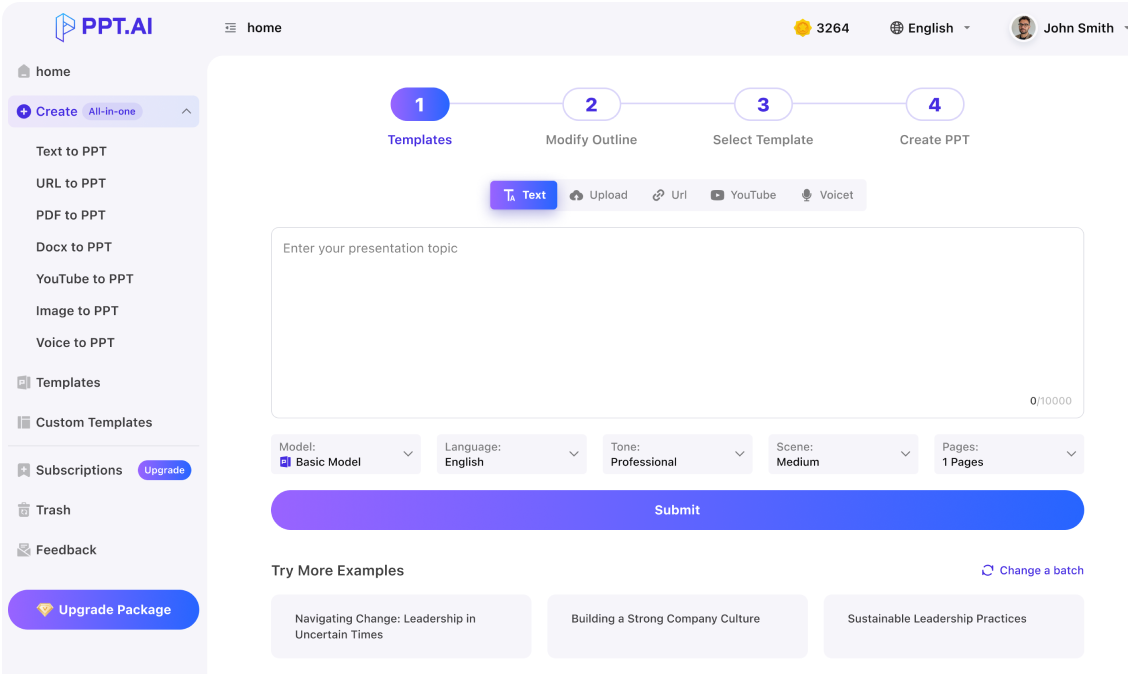
Text
Upload
Url
YouTube
Image
Basic Model
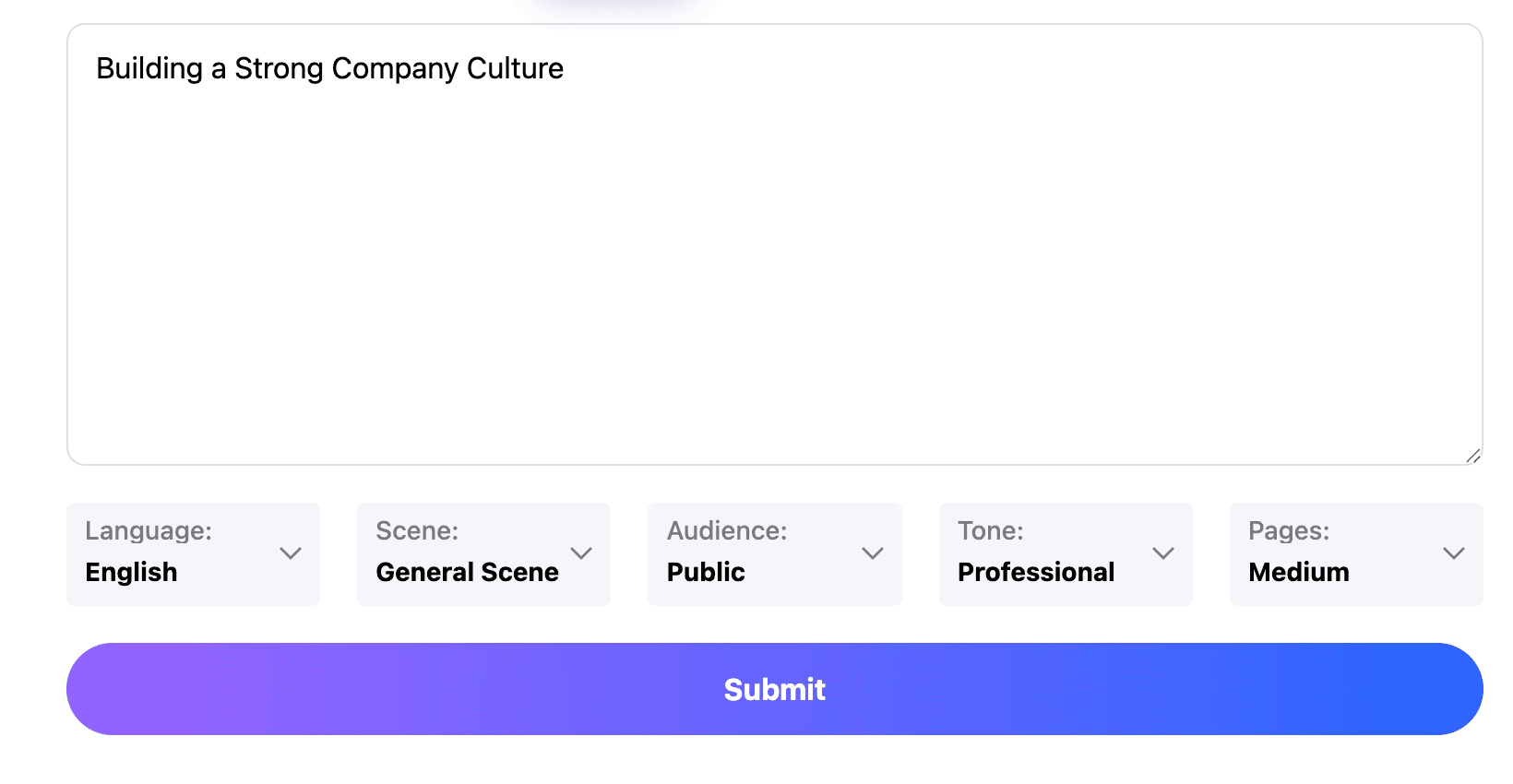
English
简体中文
繁體中文
日本語
한국어
Français
Русский
العربية
Deutsch
Español
Italiano
Português
ภาษาไทย
Bahasa Melayu
Tiếng Việt
Türkçe
Bahasa Indonesia
General Scene
Teaching Materials
Work Summary
Work Plan
Project Report
Solution
Research Report
Meeting Materials
Product Introduction
Company Introduction
Business Plan
Science Popularization
Public Speaking
Public
Students
Teachers
Superiors
Subordinates
Interviewer
Colleagues
Professional
Friendly
Technical
Persuasive
Academic
Inspirational
Educational
Humorous
Concise
Medium
Short
Long
Submit
Drag and drop a file to create a PPT
Supports DOC, DOCX, PDF, PPT, PPTX, TXT, MD, XLS, XLSX, CSV, HTML, EPUB, MOBI, XMIND, and MM files under 10MB
Choose a File
Basic Model
English
简体中文
繁體中文
日本語
한국어
Français
Русский
العربية
Deutsch
Español
Italiano
Português
ภาษาไทย
Bahasa Melayu
Tiếng Việt
Türkçe
Bahasa Indonesia
General Scene
Teaching Materials
Work Summary
Work Plan
Project Report
Solution
Research Report
Meeting Materials
Product Introduction
Company Introduction
Business Plan
Science Popularization
Public Speaking
Public
Students
Teachers
Superiors
Subordinates
Interviewer
Colleagues
Professional
Friendly
Technical
Persuasive
Academic
Inspirational
Educational
Humorous
Concise
Medium
Short
Long
Basic Model
English
简体中文
繁體中文
日本語
한국어
Français
Русский
العربية
Deutsch
Español
Italiano
Português
ภาษาไทย
Bahasa Melayu
Tiếng Việt
Türkçe
Bahasa Indonesia
General Scene
Teaching Materials
Work Summary
Work Plan
Project Report
Solution
Research Report
Meeting Materials
Product Introduction
Company Introduction
Business Plan
Science Popularization
Public Speaking
Public
Students
Teachers
Superiors
Subordinates
Interviewer
Colleagues
Professional
Friendly
Technical
Persuasive
Academic
Inspirational
Educational
Humorous
Concise
Medium
Short
Long
Submit
Basic Model
English
简体中文
繁體中文
日本語
한국어
Français
Русский
العربية
Deutsch
Español
Italiano
Português
ภาษาไทย
Bahasa Melayu
Tiếng Việt
Türkçe
Bahasa Indonesia
General Scene
Teaching Materials
Work Summary
Work Plan
Project Report
Solution
Research Report
Meeting Materials
Product Introduction
Company Introduction
Business Plan
Science Popularization
Public Speaking
Public
Students
Teachers
Superiors
Subordinates
Interviewer
Colleagues
Professional
Friendly
Technical
Persuasive
Academic
Inspirational
Educational
Humorous
Concise
Medium
Short
Long
Submit
Drag and drop a file to create a PPT
Supports PNG, JPG, JPEG, and BMP files under 5MB
Choose a IMAGE
Basic Model
English
简体中文
繁體中文
日本語
한국어
Français
Русский
العربية
Deutsch
Español
Italiano
Português
ภาษาไทย
Bahasa Melayu
Tiếng Việt
Türkçe
Bahasa Indonesia
General Scene
Teaching Materials
Work Summary
Work Plan
Project Report
Solution
Research Report
Meeting Materials
Product Introduction
Company Introduction
Business Plan
Science Popularization
Public Speaking
Public
Students
Teachers
Superiors
Subordinates
Interviewer
Colleagues
Professional
Friendly
Technical
Persuasive
Academic
Inspirational
Educational
Humorous
Concise
Medium
Short
Long
An ai slide deck generator needs a destination
Give the ai slide deck generator a clear audience takeaway or decision. Supply the problem, the relevant evidence and the action you want to support. This helps the ai slide deck generator prioritize material around a purpose.
Keep the ai slide deck generator focused on the thread
Read only the outline headings. Do they explain the argument? Use the ai slide deck generator draft to find missing links between the problem, analysis and recommendation. The ai slide deck generator should connect each slide to the preceding one.
Review the ai slide deck generator output as a whole
After using the ai slide deck generator, inspect the deck for repeated claims, inconsistent terminology and unexplained jumps in logic. Test the available export before delivery. The ai slide deck generator gives you a draft to develop; you remain responsible for the evidence and the final explanation.
Move from a specific brief to a reviewed outline and a complete presentation with the ai slide deck generator.
Step 1
Step 2
Step 3
Set the outcome
Tell the ai slide deck generator who will attend, what they need and how much time you have. Add essential source material and distinguish confirmed facts from assumptions.
Approve the sequence
Review the ai slide deck generator outline before developing the visual treatment. Give each section a job and remove material that does not support the central argument.
Refine the complete deck
Preview the ai slide deck generator result, check slide-to-slide transitions and rehearse the talk. Inspect the available output format and verify the file opens correctly before sharing.
Choose the purpose before the layout. An ai slide deck generator can support different conversations when the brief explains what the audience needs.
Decision decks
Use an ai slide deck generator to compare options against explicit criteria. Support your recommendation with evidence and request a specific decision.
Sales conversations
Brief the ai slide deck generator on the customer’s task and objections. Build the story around a relevant problem, a demonstrable response and the next conversation, rather than an exhaustive feature list.
Research updates
An ai slide deck generator can organize the question, approach and findings. Keep uncertainty and study limits visible; distinguish findings from unresolved questions.
Strategy discussions
Use an ai slide deck generator to connect the current situation with strategic choices. Explain trade-offs and dependencies, then identify the evidence that would cause the team to reconsider its direction.
Training sessions
Give the ai slide deck generator a learning objective and a realistic task. Follow the explanation with an example and a check for understanding, leaving room for discussion or practice.
Project reviews
An ai slide deck generator can distinguish expected outcomes from actual results. Explain changes in scope, unresolved issues and follow-up responsibilities so the review informs the next piece of work.
ai slide deck generator questions
Practical answers about outlines, evidence, length and preparing the result for delivery.
What does an ai slide deck generator do?
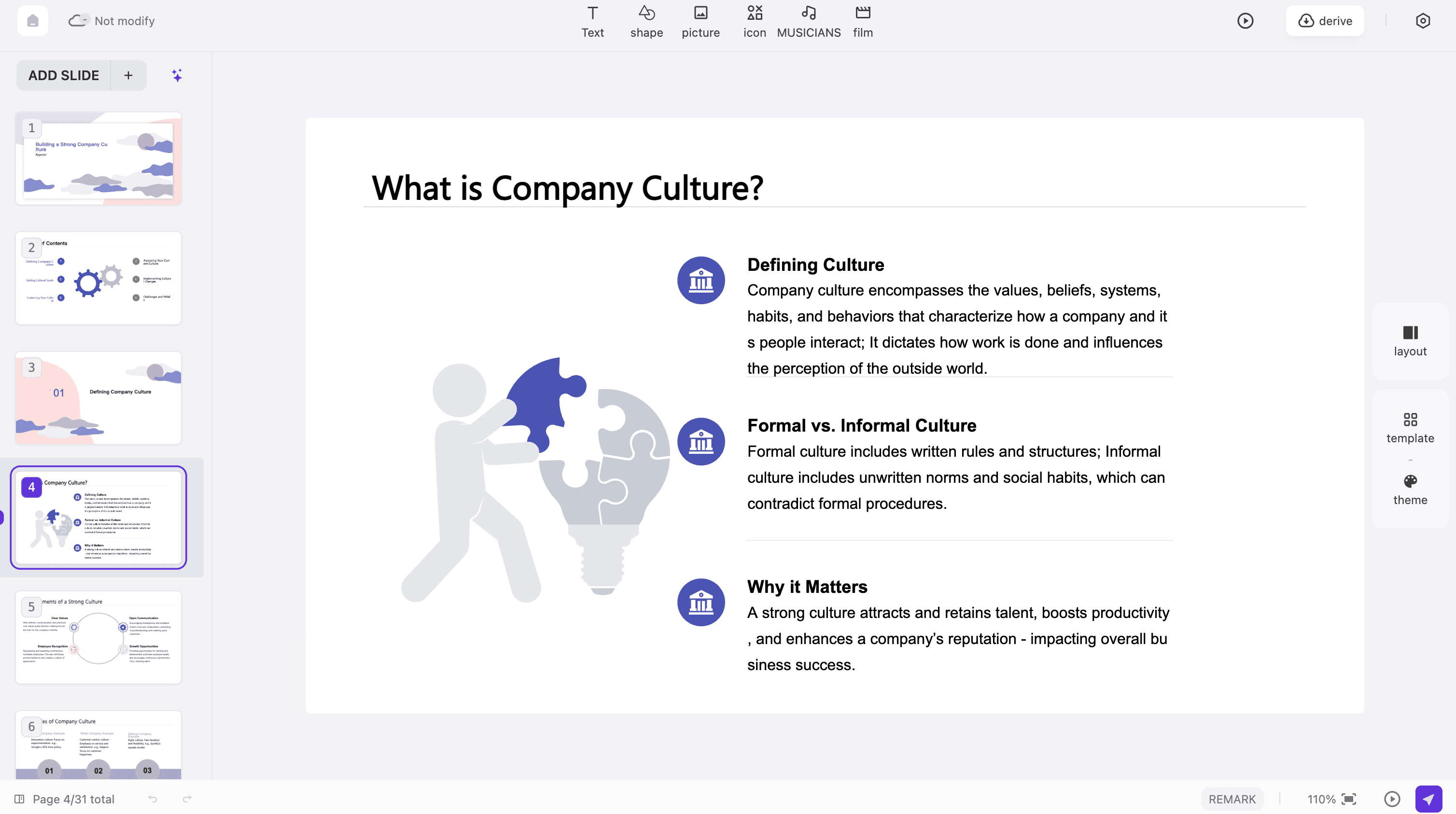
An ai slide deck generator helps turn a brief or suitable source material into a structured presentation draft. In PPT.AI, review the outline and refine the generated slides before using them with an audience.
What belongs in the initial brief?
Give the ai slide deck generator the audience, desired outcome and essential facts. Add a realistic scope and any required terminology. Specific evidence is more valuable than a long list of vague instructions.
How do I avoid repetitive slides?
Read the ai slide deck generator outline and state each slide’s job in a few words. Combine slides that perform the same job, unless the second contributes genuinely different evidence or a useful example.
Which related guide fits my material?
If your ai slide deck generator brief starts with a document, read doc to ppt ai. For a stage presentation with one memorable idea, explore ai keynote.
Can I use the first draft immediately?
Review it first. An ai slide deck generator may produce plausible wording that still needs correction. Verify claims, names and calculations.
Should I choose a design before the outline?
Establish the main sequence first. Then use the ai slide deck generator workflow’s available visual options to support the content, checking that charts and diagrams fit the information they need to explain.
How long should the deck be?
Match length to the meeting and the audience’s attention. With an ai slide deck generator, more slides are not automatically more useful; a clear example may need space while background material can be shortened.
Will the downloaded presentation be editable?
Check the output format available for your ai slide deck generator project and inspect a sample in the receiving application. Object behavior can vary by export format.
What does the workflow cost?
Review the account options and cost shown before running the ai slide deck generator or exporting. This page does not promise a fixed free allowance, and different generation modes may have different requirements.
What should I check during rehearsal?
Read the ai slide deck generator output as a spoken explanation. Notice where a transition needs context, where a chart needs a simpler label and whether the closing request follows naturally from the evidence.
Discover More PPT AI Products
Unlock even more with PPT AI suite of intelligent solutions





 AI Slide Deck Generator:








ai slide deck generator use cases