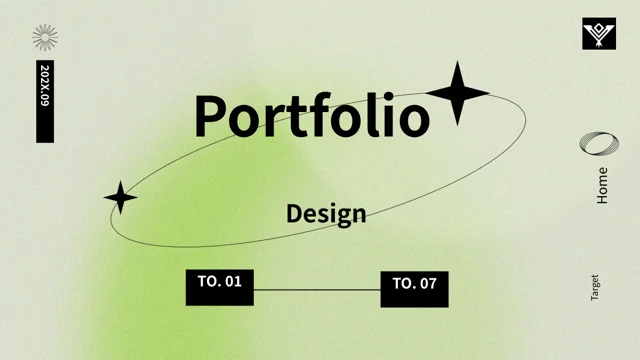
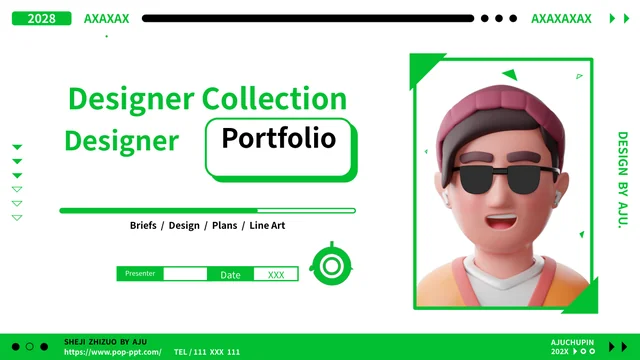
Terracotta Architecture Portfolio Presentation Template: Warm Orbits and Monochrome Building Studies
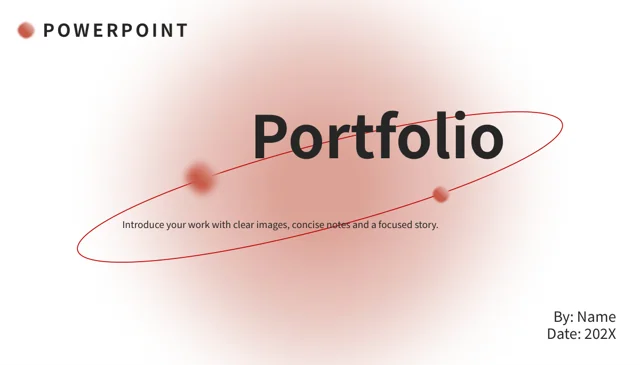
Terracotta Architecture Portfolio Presentation Template opens with blurred terracotta circles and a fine tilted orbit on a pale background. Terracotta Architecture Portfolio Presentation Template contrasts those warm shapes with black-and-white photographs of glazed buildings, upward-looking facades and a cable-stayed bridge. Terracotta Architecture Portfolio Presentation Template provides 24 pages arranged around four numbered section dividers. Wide photo bands, circular crops and paired image panels give different ways to present a project. A dotted route, SWOT quadrants, a triangular diagram and short cards offer room for concise explanations. One horizontal stacked bar chart provides editable data; separate percentage graphics remain manually arranged examples. The closing returns to the orbit and presenter fields. Select layouts that suit your actual work, replace the example labels and figures, and keep a clear relationship between each photograph and its caption.
Key Features of Terracotta Architecture Portfolio Presentation Template
Warm orbit accents and black-and-white architectural photographs.
Terracotta Orbits
Terracotta Architecture Portfolio Presentation Template pairs blurred circles with fine orbit lines. Keep titles clear and allow space around the main message.
Monochrome Building Photographs
Terracotta Architecture Portfolio Presentation Template uses monochrome facade and bridge photos. Replace pictures and check crops in wide bands and circular frames.
Four Section Dividers
Terracotta Architecture Portfolio Presentation Template has four numbered dividers on pages 3, 8, 14 and 19. Rename chapters and match the contents to your sequence.
Editable Stacked Bar Chart
Terracotta Architecture Portfolio Presentation Template has a native stacked bar chart and linked workbook. Update two series and four categories, then check totals.
SWOT and Diagram Layouts
Terracotta Architecture Portfolio Presentation Template offers SWOT quadrants, a dotted route and a pyramid. Add clear points; these diagrams do not calculate data.
Photo Cards and Phone Frame
Terracotta Architecture Portfolio Presentation Template includes paired photo cards and a static phone frame. Keep captions brief and inspect crops in each layout.
How to Use Terracotta Architecture Portfolio Presentation Template
Choose the sequence, replace the examples and review your project.
-
Plan the Project Sequence
Review all 24 pages of Terracotta Architecture Portfolio Presentation Template. Choose photo layouts and chapter dividers and outline a short heading and supporting caption for each page.
-
Download and Replace Examples
Download Terracotta Architecture Portfolio Presentation Template with an active paid plan; daily downloads are unlimited. Save a copy, replace text and photos, then update charts and manual figures.
-
Check Images, Figures and Fonts
Inspect Terracotta Architecture Portfolio Presentation Template crops, chart labels and diagram text. Match percentages to your evidence, then compare the exported pages with your editable copy.
Questions About Terracotta Architecture Portfolio Presentation Template
How do I download Terracotta Architecture Portfolio Presentation Template?
Sign in with an active paid plan to download Terracotta Architecture Portfolio Presentation Template. Paid members can download Terracotta Architecture Portfolio Presentation Template without a daily limit, including repeat downloads. The Terracotta Architecture Portfolio Presentation Template file is supplied in PowerPoint (.pptx) format. Save a separate Terracotta Architecture Portfolio Presentation Template working copy before replacing the presenter fields, project photographs and sample figures. Keeping the original Terracotta Architecture Portfolio Presentation Template sequence available makes it easier to compare the contents page, four section dividers and closing while you assemble your own project presentation.
How many pages does Terracotta Architecture Portfolio Presentation Template contain?
Terracotta Architecture Portfolio Presentation Template contains 24 pages, including an orbit cover, a four-item contents page and a matching closing. Terracotta Architecture Portfolio Presentation Template uses the original approximately 1.752:1 slide ratio; it has not been converted to 16:9. The Terracotta Architecture Portfolio Presentation Template section dividers appear on pages 3, 8, 14 and 19. Keep those Terracotta Architecture Portfolio Presentation Template chapters if they suit your outline, or rename and rearrange them with the contents page. Check that every Terracotta Architecture Portfolio Presentation Template section heading describes the pages that actually follow it.
Can I replace the photographs in Terracotta Architecture Portfolio Presentation Template?
Terracotta Architecture Portfolio Presentation Template contains black-and-white photographs of modern building facades and a cable-stayed bridge. Replace a Terracotta Architecture Portfolio Presentation Template picture with one you can accurately describe, then check its crop inside the existing frame. Terracotta Architecture Portfolio Presentation Template uses broad strips, paired panels and circular cutouts, so the same replacement image may need different crops. Keep the Terracotta Architecture Portfolio Presentation Template building photographs separate from claims about your own completed work unless those claims are true. Read each Terracotta Architecture Portfolio Presentation Template caption alongside the image to confirm the project, place and context.
Which chart in Terracotta Architecture Portfolio Presentation Template is editable?
Terracotta Architecture Portfolio Presentation Template includes one native horizontal stacked bar chart on page 13. The Terracotta Architecture Portfolio Presentation Template chart retains its linked Excel workbook, two data series and four categories. Edit the Terracotta Architecture Portfolio Presentation Template chart data through your presentation software, then update the category and series labels to match. Compare the Terracotta Architecture Portfolio Presentation Template bars with the workbook after changing values, and check the chart appearance in an exported copy. Other Terracotta Architecture Portfolio Presentation Template diagram pages are separate manually arranged graphics; they do not become data-driven charts simply because they display percentages or financial figures.
Are the percentages and large figures in Terracotta Architecture Portfolio Presentation Template verified data?
Terracotta Architecture Portfolio Presentation Template includes manually placed 42% and 55% examples, plus larger sample amounts shown beside photographs. Those Terracotta Architecture Portfolio Presentation Template labels are placeholders, not verified results for a building, business or audience. Change the Terracotta Architecture Portfolio Presentation Template figures only to information supported by your own evidence, or remove them when they are irrelevant. Check the Terracotta Architecture Portfolio Presentation Template fan-shaped graphic and paired-photo labels individually because they are not linked to the native chart workbook. When adapting Terracotta Architecture Portfolio Presentation Template, keep units and captions consistent with the values you actually present.
How should I adapt the SWOT, route and pyramid in Terracotta Architecture Portfolio Presentation Template?
Terracotta Architecture Portfolio Presentation Template offers four SWOT areas, a three-stage dotted route and a triangular diagram with four icon areas. These Terracotta Architecture Portfolio Presentation Template layouts organize an explanation without performing an analysis or calculating a result. Decide what each Terracotta Architecture Portfolio Presentation Template shape means before replacing its sample text, then keep the points brief enough for the available space. The Terracotta Architecture Portfolio Presentation Template route can show a sequence, while the pyramid needs a clear relationship between its parts. Review the Terracotta Architecture Portfolio Presentation Template diagram labels together so arrows, positions and icons support the explanation rather than imply unsupported conclusions.
Which fonts does Terracotta Architecture Portfolio Presentation Template use?
Terracotta Architecture Portfolio Presentation Template uses Source Han Sans SC Regular and Bold for the final editable text. Four original Calibri font attachments remain in Terracotta Architecture Portfolio Presentation Template, but the current Source Han Sans fonts have not been newly embedded. If your editor substitutes a font in Terracotta Architecture Portfolio Presentation Template, install the matching typeface or choose a replacement and check the entire deck. Inspect Terracotta Architecture Portfolio Presentation Template chapter titles, small captions, chart labels and presenter fields after a font change. Compare the Terracotta Architecture Portfolio Presentation Template editable file and exported pages for altered line breaks, spacing or missing characters.
Does the phone frame in Terracotta Architecture Portfolio Presentation Template provide a working app?
Terracotta Architecture Portfolio Presentation Template includes a static phone-shaped frame around a bridge photograph on page 20. The Terracotta Architecture Portfolio Presentation Template frame is a visual mockup, not a working app, live screen or device demonstration. Replace the Terracotta Architecture Portfolio Presentation Template picture within that area and check its alignment against the surrounding frame. Keep the Terracotta Architecture Portfolio Presentation Template adjacent note headings focused on what the image illustrates rather than implying an interactive service. After moving or resizing a Terracotta Architecture Portfolio Presentation Template frame, inspect the picture crop and phone outline together to avoid stretching the image or leaving unintended gaps.
What should I check before sharing Terracotta Architecture Portfolio Presentation Template?
Review the Terracotta Architecture Portfolio Presentation Template presenter fields, chapter names, captions and closing against your actual project. Inspect Terracotta Architecture Portfolio Presentation Template photo crops, small labels and text over the terracotta gradients at the intended display size. Check the Terracotta Architecture Portfolio Presentation Template chart workbook separately from the manually placed percentages and large figures. Export Terracotta Architecture Portfolio Presentation Template to your chosen format and compare every page with the editable file, especially circular crops and stacked bars. Share Terracotta Architecture Portfolio Presentation Template only after replacing sample guidance and confirming that your photographs, diagram points and figures support the claims you present.