Flower PowerPoint template: a blue floral setting for training
Blue Floral Training is a flower PowerPoint template with 25 slides for explaining ideas and guiding practice. Hands holding small flowers introduce blue and green textures, dotted borders and narrow side headings. Four chapters cover Training Goals, Core Concepts, Practice and Review. This flower PowerPoint template pairs numbered cards and linked circles with short note panels; a flower photograph provides a focal point for discussion. Four native ring charts support data editing, while other percentage displays use separate shapes and text. The flower PowerPoint template supplies a visual framework for your own subject, with sample notes to replace. Choose a learning outcome, add relevant examples and use each diagram to explain one relationship. The floral artwork sets the mood; the deck does not contain a course about flowers. Keep side headings brief and check chart labels against your figures.
Features of this flower PowerPoint template
A flower PowerPoint template combining botanical artwork with blue diagrams.
Hands Holding Flowers
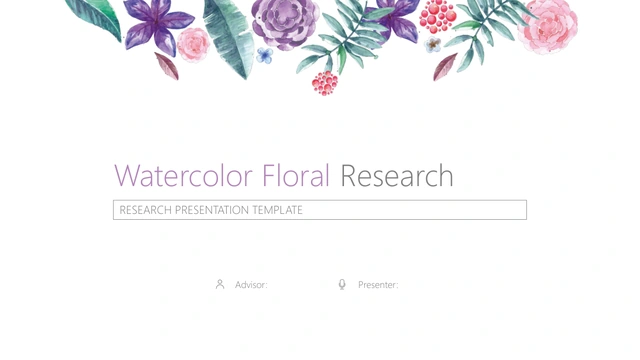
The flower PowerPoint template opens with illustrated hands holding flowers. Blue and green textures connect the covers and dividers around a dotted frame.
Four Training Chapters
Use this flower PowerPoint template to move from goals and core concepts to practice and review. Numbered dividers give each stage of your session a clear start.
Four Native Ring Charts
Four ring charts share one page in the flower PowerPoint template. Their centre labels are separate text, so revise the chart data and each percentage together.
Cards and Linked Diagrams
The flower PowerPoint template offers numbered cards, hexagons and linked circles. Add short headings to show how your ideas connect, then explain with examples.
Manual Progress Graphics
Bars and sample percentages in the flower PowerPoint template include independent shapes and text. Change labels and resize the graphics to match your own figures.
A Floral Discussion Layout
A vase of flowers sits between two blue note panels in this flower PowerPoint template. Use the photograph layout for a comparison, discussion or final reflection.
How to use this flower PowerPoint template
Prepare your flower PowerPoint template around one clear learning outcome.
-
Choose Your Layouts
Browse all 25 pages of the flower PowerPoint template and choose a learning outcome. Select cards for key points, diagrams for relationships and a review page to draw the session together.
-
Replace the Examples
Download the flower PowerPoint template with an active paid membership. Add your own training material, edit ring-chart data and separately adjust percentage labels and manually drawn bars.
-
Rehearse the Session
Check the flower PowerPoint template at presentation size. Read the narrow headings, compare chart labels with your data and rehearse the activity order before sharing your finished slides.

Flower PowerPoint template questions
How do I download this flower PowerPoint template?
Active paid members can download the flower PowerPoint template repeatedly, with no daily limit. Save a working copy before editing. The flower PowerPoint template arrives as one English PPTX containing all 25 slides; select pages to suit your session.
What does the flower PowerPoint template contain?
The flower PowerPoint template includes 25 widescreen slides in four training chapters. There are covers, dividers, note cards, diagrams, comparison graphics and a closing page. Use the flower PowerPoint template for your own topic, with examples and activities appropriate to your audience.
Which parts of the flower PowerPoint template are editable?
Text, shapes and four native ring charts are editable in the flower PowerPoint template. Centre percentages are independent text, and other bars are manually drawn. Update these separately. Floral illustrations and the photograph in the flower PowerPoint template are image assets.
Can I preview the entire flower PowerPoint template?
Every page of the flower PowerPoint template appears in the preview. Compare the space beside diagrams and within note cards before downloading. Choose the flower PowerPoint template when its blue palette, floral details and training structure suit your content.
Does the flower PowerPoint template work in other apps?
The flower PowerPoint template is supplied as PPTX. Google Slides and Keynote compatibility has not been verified. After importing the flower PowerPoint template into another app, review charts, narrow headings, fonts and illustrations against the preview before presenting or sharing.
Which fonts does the flower PowerPoint template use?
The flower PowerPoint template uses Arial without embedded fonts. If you substitute fonts, check narrow headings and chart text for spacing changes. Keep headings concise in the flower PowerPoint template so the vertical layout stays readable at presentation size.
Is the flower PowerPoint template already a complete course?
The flower PowerPoint template contains English sample notes, not a finished curriculum. Website translations describe the same English file. Add explanations, tasks and review criteria to the flower PowerPoint template, and replace the presenter placeholder with your preferred name.
What rights apply to this flower PowerPoint template?
Downloading the flower PowerPoint template does not establish unrestricted artwork rights. Before commercial use or redistribution, check the applicable source and image terms, including materials you add. Follow those terms when sharing an edited flower PowerPoint template or using its artwork elsewhere.
How should I share the flower PowerPoint template?
Send the flower PowerPoint template page link so colleagues can preview the design. Where permissions allow, share your completed PPTX or PDF after checking figures and instructions. Keep an editable copy of the flower PowerPoint template for later sessions.