Fashion Picture Album Presentation Template: portraits in warm, open layouts
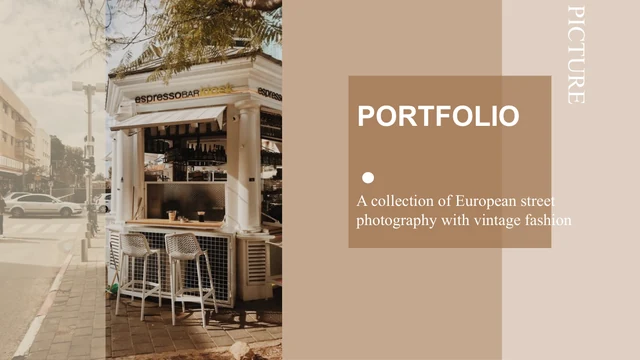
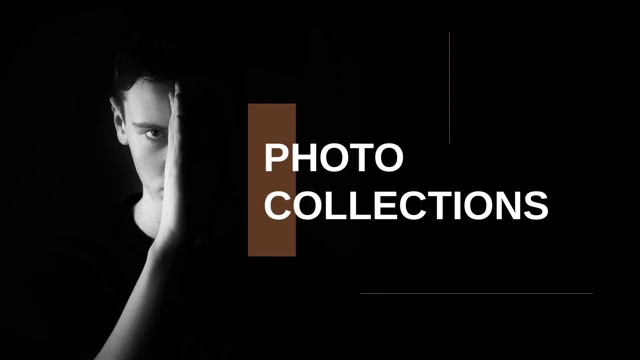
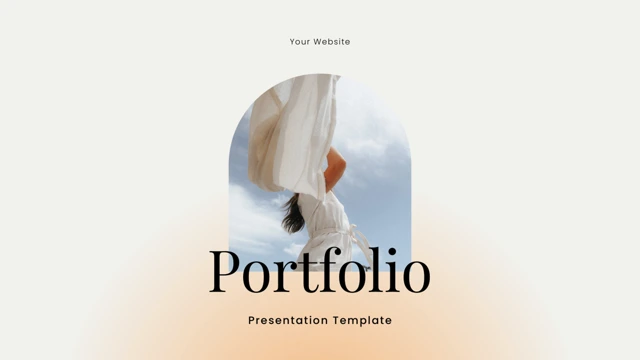
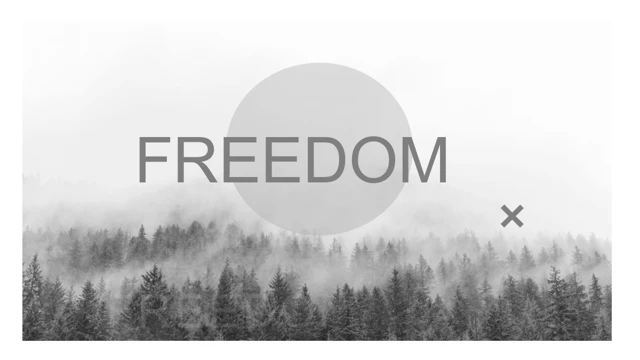
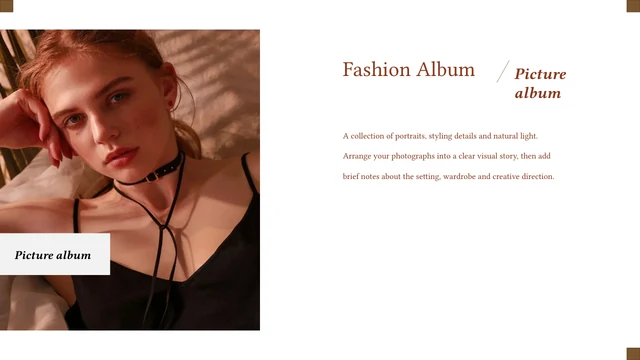
Fashion Picture Album Presentation Template presents 15 widescreen slides built around portrait photography. White pages, beige panels and brown accents give the album a quiet editorial rhythm. Large pictures take the lead, with labels and short captions alongside them. Fashion Picture Album Presentation Template moves between single portraits, paired photographs and small collages. Close views of jewellery and fabric sit beside full portraits, with spaced fashion-reference headings. Fashion Picture Album Presentation Template closes with a photograph and an italic thank-you message. The editable English captions in Fashion Picture Album Presentation Template are examples for your own work. Replace them with project notes, image credits and a clear introduction. Keep the original balance of photographs and empty space when adapting Fashion Picture Album Presentation Template. Review all 15 previews before choosing pages for your collection.
Key Features of Fashion Picture Album Presentation Template
Portraits, warm colours and concise captions.
Portraits First
Fashion Picture Album Presentation Template gives portraits generous space. Large image frames keep faces, clothing and expression at the centre of each page.
Warm Neutral Colours
Fashion Picture Album Presentation Template uses white, beige and brown panels. Carry those colours into your captions and keep new accents small and consistent.
Paired Views
Fashion Picture Album Presentation Template places related portraits side by side. Compare poses or details from the same shoot without crowding the photographs.
Small Photo Collages
Fashion Picture Album Presentation Template combines portraits and close details. Use the varied image sizes to connect a scene, an accessory and a selected look.
Editorial Labels
Fashion Picture Album Presentation Template pairs italic labels with spaced reference headings. Short captions leave room for the photographs to tell the story.
A Quiet Closing Page
Fashion Picture Album Presentation Template ends with a portrait and an italic thank-you message. Add a short project credit or contact line in the subtitle.
How to Use Fashion Picture Album Presentation Template
Choose your images, then add your story.
-
Review the 15 Pages
Browse all 15 pages of Fashion Picture Album Presentation Template. Choose portraits, paired views or collages, match your pictures to the frames and plan one short caption for each page.
-
Download Your Copy
Sign in with an active paid plan to download Fashion Picture Album Presentation Template. Paid members have unlimited daily downloads. Save a copy before replacing the pictures or captions.
-
Replace and Check
Edit Fashion Picture Album Presentation Template with your photographs and credits. Check crops, caption length and fonts, then review the slide show and any exported PDF before sharing.
Questions about Fashion Picture Album Presentation Template
How do I download Fashion Picture Album Presentation Template?
Sign in with an active paid plan and use the download button for Fashion Picture Album Presentation Template. Fashion Picture Album Presentation Template is supplied in PowerPoint (.pptx) format. Paid members can download Fashion Picture Album Presentation Template as often as needed, with no daily limit. Keep a copy of the original download and edit a separate working file so you can return to the starting layouts.
How many slides are in Fashion Picture Album Presentation Template?
Fashion Picture Album Presentation Template contains 15 slides in a 16:9 widescreen format. The sequence in Fashion Picture Album Presentation Template includes portrait pages, paired photographs, small collages and a closing thank-you page. Fashion Picture Album Presentation Template is a visual album rather than a finished project report. You can select only the pages you need, duplicate a useful layout or rearrange the sequence around your own photographs.
Can I edit Fashion Picture Album Presentation Template?
The captions, labels, headings and coloured shapes in Fashion Picture Album Presentation Template can be edited in PowerPoint. The photographs in Fashion Picture Album Presentation Template are separate image objects, so you can replace them with your own pictures. When adapting Fashion Picture Album Presentation Template, check that the replacement crops keep faces and important styling details inside the frames. Keep captions brief and remove any sample wording that does not fit your project.
Can I see every page of Fashion Picture Album Presentation Template before downloading?
Yes. The gallery shows all 15 pages of Fashion Picture Album Presentation Template in their original order. Use the thumbnails or arrows for Fashion Picture Album Presentation Template to compare the single portraits, paired views and collage layouts. Enlarge the preview of Fashion Picture Album Presentation Template to inspect narrow captions and image edges. The previews show the supplied file; your own pictures and font choices can change its final appearance.
Can I open Fashion Picture Album Presentation Template in another editor?
Fashion Picture Album Presentation Template is a .pptx file. Other presentation editors may import it, but fonts, shadows, text spacing and picture crops can change. Open a copy of Fashion Picture Album Presentation Template and compare the result with the complete preview before relying on the imported version. In particular, check the italic labels and widely spaced reference headings. Keep a PowerPoint copy of Fashion Picture Album Presentation Template for further edits.
Which fonts does Fashion Picture Album Presentation Template use?
Fashion Picture Album Presentation Template uses Garamond for small captions, Baskerville for display text, and Playfair Display for the closing message; Calibri also occurs in the file. The translated cover in Fashion Picture Album Presentation Template uses Baskerville. Font availability can affect Fashion Picture Album Presentation Template, even when an editor accepts the file. After choosing a substitute, inspect line breaks, the reference headings and the closing subtitle instead of assuming the layout is unchanged.
Is the text in Fashion Picture Album Presentation Template translated?
The downloadable Fashion Picture Album Presentation Template contains English sample captions and an English cover. The website description of Fashion Picture Album Presentation Template is translated into the available site languages; those translations do not create separate slide files. The photographs in Fashion Picture Album Presentation Template remain the supplied examples. Replace the captions and pictures with your own project material, then add the names, credits or translated text your audience needs.
Can I use Fashion Picture Album Presentation Template commercially?
Before using Fashion Picture Album Presentation Template in a commercial project, confirm the relevant rights for the template, photographs and fonts. A paid download of Fashion Picture Album Presentation Template does not by itself establish permission to reuse every pictured person or image. We do not have a verified commercial licence for the source photographs in Fashion Picture Album Presentation Template. Use photographs you own or have permission to publish, and retain the required credits.
How should I share Fashion Picture Album Presentation Template?
Share the public page link for Fashion Picture Album Presentation Template when recommending the template. For your own finished album, export a PDF or share a copy containing photographs you are permitted to distribute. Review Fashion Picture Album Presentation Template for sample captions, image credits and cropped details before sending your version. Keep the editable Fashion Picture Album Presentation Template separately and check the applicable rights before redistributing the unmodified template.