Monolia Presentation Template: warm cream, peach accents and arched photos
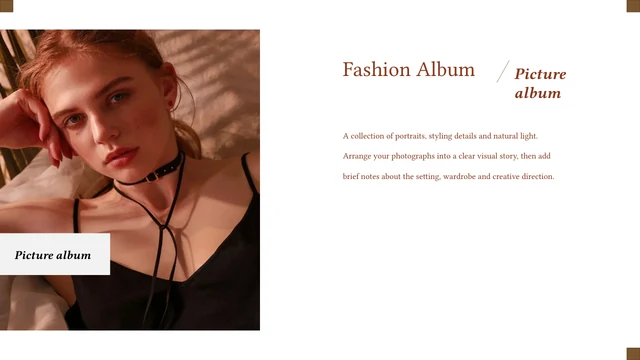
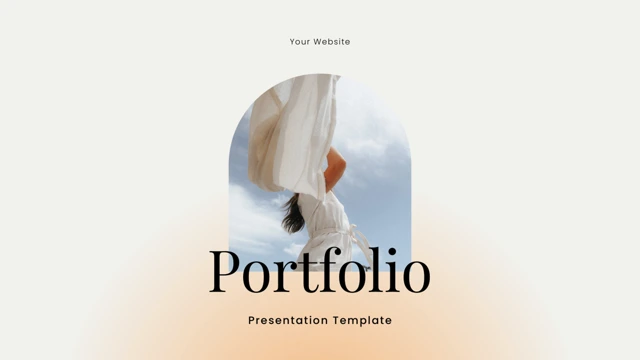
Monolia Presentation Template combines 16 widescreen pages with a creamy background, soft peach glows and large serif headings. Fashion and interior photos are examples. Monolia Presentation Template opens with a portrait in an arched frame, then presents four contents topics: Brand Product, Minimal Style, Collaboration and New Collection. The sequence includes a lookbook, vision, product, leader and team pages, followed by one break page. Monolia Presentation Template varies its photo compositions through three arched collection images, paired portfolio photos and three small portfolio cards. Laptop, phone and desktop mockups accompany marketing, social media and digital branding pages. A contact page and a thank-you page close the sequence. Monolia Presentation Template provides English editing prompts; the team names, role labels and contact fields are examples to replace. Choose a consistent set of images, prepare short captions and keep the generous space around each heading.
Key Features of Monolia Presentation Template
Warm backgrounds, arched photos and image-led brand pages.
Cream and Peach Backgrounds
Monolia Presentation Template combines a creamy background with soft peach glows. Keep text contrast clear and avoid covering the quiet areas with extra decoration.
Arched Photo Frames
Monolia Presentation Template uses arches on the cover, vision and collection pages. Match replacement image proportions and inspect the crop inside each frame.
Four Contents Topics
Monolia Presentation Template lists four contents topics and includes one break page. Rename the topics to match your outline and update the order before presenting.
Leader and Team Portraits
Monolia Presentation Template has leader and team layouts with photo pairs, names and roles. Replace the examples with verified details and authorized portraits.
Portfolio Photo Cards
Monolia Presentation Template offers paired portfolio photos and three captioned image cards. Choose related work and give each image a short, specific explanation.
Device Mockup Pages
Monolia Presentation Template shows laptop, phone and desktop mockups. Review which picture parts can be replaced separately and keep each screen crop aligned.
How to Use Monolia Presentation Template
Select the pages, replace the examples and check the finished file.
-
Choose Your Page Sequence
Browse all 16 pages of Monolia Presentation Template. Compare the lookbook, team portraits and device mockups. Select the layouts your story needs, then prepare images and brief captions.
-
Download an Editable Copy
Sign in with an active paid plan to download Monolia Presentation Template. Daily and repeat downloads are unlimited. Save a working copy and collect your approved images before editing.
-
Replace and Review
Open Monolia Presentation Template in PowerPoint. Update photos, names, roles and contact fields. Check fonts and image crops, review the exported PDF and keep the editable PPTX for revisions.
Questions about Monolia Presentation Template
How do I download Monolia Presentation Template?
Sign in with an active paid account and use the download button beside the preview. Monolia Presentation Template is supplied as an editable English PowerPoint PPTX. Paid members can download it without a daily limit and download it again when needed. Save Monolia Presentation Template on your device, then make a working copy. Keep the original Monolia Presentation Template while changing your photos, text and labels.
How many slides are in Monolia Presentation Template?
Monolia Presentation Template contains 16 slides in a 16:9 format. The original sequence includes a four-topic contents page, lookbook, vision, product, leader, team and portfolio layouts, device mockups and contact details. There is one break page. Choose the pages of Monolia Presentation Template that support your outline; you do not need to use every layout. Update contents topics and page labels after reordering Monolia Presentation Template so the opening matches the finished sequence.
Can I edit the text and colors in Monolia Presentation Template?
Yes. The native text boxes and shapes of Monolia Presentation Template can be edited in PowerPoint. Replace the English prompts, sample names, roles and contact labels with your own information. Review text contrast in Monolia Presentation Template if you change the cream or peach areas. Photos and decorative image layers remain picture assets. Use images you may share, inspect the arch and screen crops, and keep the spacious layout of Monolia Presentation Template.
Can I preview the whole Monolia Presentation Template?
Yes. The gallery shows every page of Monolia Presentation Template. Browse the thumbnails or arrows to compare arched photos, team portraits, portfolio cards and device mockups. Enlarge Monolia Presentation Template to see caption size and the available text space. The full preview of Monolia Presentation Template corresponds to the same English PowerPoint file offered for download. Check your preferred pages before writing captions that may need more room.
Will Monolia Presentation Template work in another editor?
Monolia Presentation Template uses the PowerPoint PPTX format. A compatible editor may import the file, but serif headings, line breaks, layered pictures and mockup arrangements can change. Compare the imported Monolia Presentation Template with the full preview, paying attention to arches, small captions and screen alignment. PowerPoint is the recommended starting point for editing Monolia Presentation Template. Preserve an editable native copy and inspect your export before sharing it.
Which fonts does Monolia Presentation Template use?
The main source font declarations in Monolia Presentation Template are Arimo, Poppins Light, Poppins Medium, Playfair Display and Playfair Display Bold. Hidden non-Latin font references are adapted to Arial. No font files are embedded. Install the required fonts or choose replacements before editing Monolia Presentation Template. A different font can change both the large titles and small captions. Check spacing and line breaks throughout Monolia Presentation Template after any font change.
Is the text in Monolia Presentation Template translated?
Monolia Presentation Template retains its original English design headings. Generic sample paragraphs are replaced with short English editing prompts, and hidden Chinese master prompts are English. All website languages describe this same English Monolia Presentation Template. Team names, studio labels and photos are examples rather than verified facts about your organization. Website, social and contact fields are now English placeholders. Replace the prompts and labels of Monolia Presentation Template with your own checked information.
Can I use Monolia Presentation Template commercially?
The source of Monolia Presentation Template has no verified commercial or redistribution license. A paid plan permits downloading without adding rights to the design, portraits or other photographs. Confirm the permissions required for your use of Monolia Presentation Template and keep any original source credits. Source names are retained as examples; they do not confirm an association with your work. Add only content you are authorized to share when adapting Monolia Presentation Template.
How should I share Monolia Presentation Template?
Use the share controls to send a preview link to Monolia Presentation Template. For your finished work, share a reviewed PDF or presentation with photographs and text you are allowed to distribute. Check that the contact information refers to your own organization. Keep the editable copy of Monolia Presentation Template separately for revisions. Recipients who need the original Monolia Presentation Template must use their own eligible paid account to download it.