Green Light Midyear Report Presentation Template: soft light, leaf photos and a four-part review
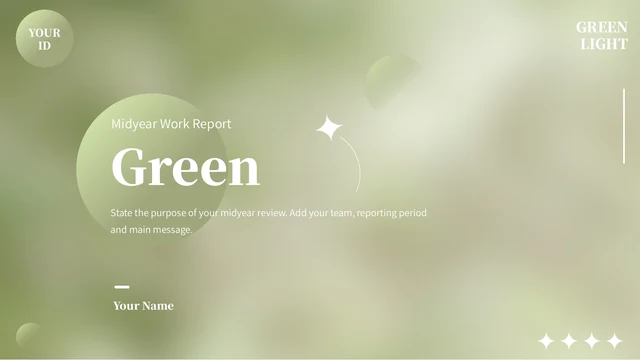
Green Light Midyear Report Presentation Template opens with softly blurred green light, pale circles and star-like accents. Broad white curved panels give its 18 widescreen slides a report layout. Green Light Midyear Report Presentation Template has work review, progress, projects and next plan sections, introduced by an index and four numbered dividers. Branches, dew and yellow leaves fill the photo cards and project panels in Green Light Midyear Report Presentation Template. Two doughnuts and a percentage-stacked column chart link to Excel, while typed figures also appear separately. Project layouts pair pictures with white note panels and vertical headings. Green Light Midyear Report Presentation Template ends its plan pages with a desk photo inside a tablet frame and four circular icon notes. Replace the English prompts with your own results, update both chart data and separate figures, and check pale text on green backgrounds. The examples are placeholders for your midyear review.
Key Features of Green Light Midyear Report Presentation Template
Leaf photography and clear report sections.
Soft green light
Green Light Midyear Report Presentation Template pairs blurred green light with pale circles and star accents. Broad white curved panels frame its report text.
Four report sections
Green Light Midyear Report Presentation Template has an index and four dividers for work review, progress, projects and next plan. Choose relevant report sections.
Leaf photo cards
Green Light Midyear Report Presentation Template groups dew, branches and yellow leaves in three photo cards. Replace the photos and notes, check crops and spacing.
Linked chart comparisons
Green Light Midyear Report Presentation Template has two doughnuts and a two-series column chart linked to Excel. Edit data and check separate percentage labels.
Project photo panels
Green Light Midyear Report Presentation Template pairs leaf photos with white panels and vertical titles. Present a project goal, evidence and a verified outcome.
Workspace planning
Green Light Midyear Report Presentation Template places a desk photo in a tablet frame with four icon notes. Give each next action a clear owner, date and purpose.
How to Use Green Light Midyear Report Presentation Template
Choose your pages, edit and check the figures.
-
Preview all report pages
Browse all 18 pages of Green Light Midyear Report Presentation Template with thumbnails and arrows. Select photo panels, chart comparisons and sections that fit your midyear reporting outline.
-
Download and add your report
Sign in with an active paid plan to download Green Light Midyear Report Presentation Template. Edit a working copy in PowerPoint with your presenter name, photos and verified report data.
-
Check data and share
Check chart data and typed percentages in Green Light Midyear Report Presentation Template. Review photo crops, captions and pale text on screen, then export a PDF and keep an editable copy.
Questions about Green Light Midyear Report Presentation Template
How do I download Green Light Midyear Report Presentation Template?
Sign in with an active paid plan, then use this page’s download button for Green Light Midyear Report Presentation Template. Paid members can download Green Light Midyear Report Presentation Template without a daily limit and repeat downloads when needed. You can browse the public previews of Green Light Midyear Report Presentation Template before buying. Save a working copy of Green Light Midyear Report Presentation Template before editing; file access does not establish permission to use every source photograph or font commercially.
How many pages are in Green Light Midyear Report Presentation Template?
Green Light Midyear Report Presentation Template contains 18 slides in widescreen 16:9. An index and four numbered dividers introduce work review, progress, projects and next plan. The gallery of Green Light Midyear Report Presentation Template includes the opening and closing, photo layouts, charts and planning notes. Use all pages of Green Light Midyear Report Presentation Template or keep only the sections relevant to your review. After rearranging Green Light Midyear Report Presentation Template, check the contents and section labels against your final sequence.
Can I edit Green Light Midyear Report Presentation Template?
Native text, shapes and the three charts in Green Light Midyear Report Presentation Template can be edited in PowerPoint. The two doughnuts and column chart in Green Light Midyear Report Presentation Template each have a linked Excel workbook. Update chart data and inspect separate typed percentages in Green Light Midyear Report Presentation Template; they do not automatically follow a data change. Photographs and the tablet frame remain images. Replace pictures, shorten narrow headings and check both numbers and notes throughout Green Light Midyear Report Presentation Template.
Can I preview every page of Green Light Midyear Report Presentation Template?
All 18 pages of Green Light Midyear Report Presentation Template appear in the gallery in the order of the downloadable English PPTX. Use thumbnails, arrows and the enlarged preview of Green Light Midyear Report Presentation Template to inspect each layout. You can review Green Light Midyear Report Presentation Template before paying; the file download requires an active paid plan. Compare the three-photo cards, project panels and chart labels with your outline. The full preview of Green Light Midyear Report Presentation Template also shows the workspace page and closing.
Will Green Light Midyear Report Presentation Template work in other editors?
Other presentation editors may import Green Light Midyear Report Presentation Template as a PPTX, but fonts, line breaks, image crops and chart appearance can change. The gallery of Green Light Midyear Report Presentation Template is a layout reference rather than a guarantee of identical display. Test all three linked charts and the narrow project labels in Green Light Midyear Report Presentation Template using your editor. Before presenting Green Light Midyear Report Presentation Template, compare an exported PDF with the preview and check the pale green and white areas on your intended screen.
Which fonts does Green Light Midyear Report Presentation Template use?
Green Light Midyear Report Presentation Template retains source references including 思源宋体 CN Heavy, 思源黑体 CN Normal, 思源黑体 CN Heavy, 汉仪旗黑-50S, Oswald, 等线 and theme fonts. Two original Source Han embedded font parts remain in Green Light Midyear Report Presentation Template. The previews use available original-family fonts, including official Source Han CN fonts. Font embedding in Green Light Midyear Report Presentation Template does not ensure identical support in every editor. Choose fonts you may use and check the cover, chart labels and vertical captions throughout Green Light Midyear Report Presentation Template.
Are the slides in Green Light Midyear Report Presentation Template translated?
Green Light Midyear Report Presentation Template is supplied with short English prompts, report titles and chart labels. The 15 website languages describe that single English PPTX, not 15 different translated files. Adapt Green Light Midyear Report Presentation Template to your audience’s language and keep headings short enough for the original spaces. Pictures in Green Light Midyear Report Presentation Template remain images, so lettering within a picture is not automatically editable. Replace the sample data and review every page after changing text or fonts.
Can I use Green Light Midyear Report Presentation Template commercially?
Commercial permission for Green Light Midyear Report Presentation Template has not been verified. Paid access to Green Light Midyear Report Presentation Template does not grant rights to every source photograph, graphic or font. Confirm permissions for client work or redistribution and keep genuine creator credits. Replace assets whose permitted use is unclear, and check the rights to your own additions. The numerical examples in Green Light Midyear Report Presentation Template are placeholders; do not present them as verified business results.
How do I share Green Light Midyear Report Presentation Template?
Use this page’s share controls or copy its URL to share Green Light Midyear Report Presentation Template. Others can view the full gallery and download under their own account eligibility. Before sharing your adaptation of Green Light Midyear Report Presentation Template, replace example figures, remove private information and confirm rights to photos and fonts. Check the report period, project notes and next actions for accuracy. Export a PDF of Green Light Midyear Report Presentation Template for review and keep the editable working file.