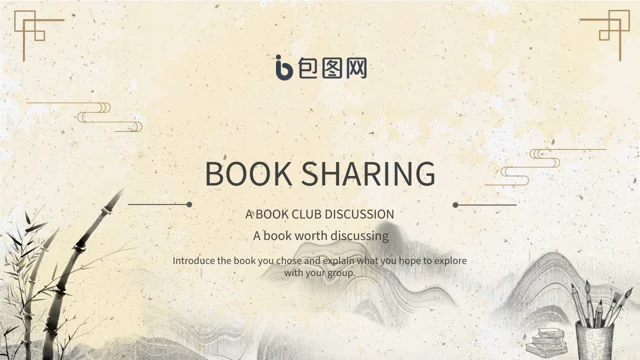
Ink Scroll Book Sharing Presentation Template: ink landscapes and paper spaces for reading notes
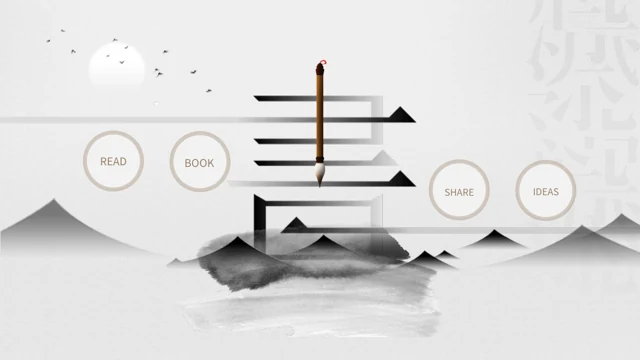
Ink Scroll Book Sharing Presentation Template surrounds book illustrations with pale paper, ink hills and large calligraphy. Ink Scroll Book Sharing Presentation Template opens with a book cover, a preface and a four-item vertical index for book focus, key ideas, shared views and next reading. Arched cards, round prompts and folded-paper rosettes offer places for short passages. Ink Scroll Book Sharing Presentation Template includes fan pictures, a bamboo scroll, illustrated books and a reader figure without assigning that figure a verified identity. Six numbered notes and a four-point reading sequence organize examples by hand. Ink Scroll Book Sharing Presentation Template contains 25 widescreen slides, four section breaks and a Thank You ending. Add your own passages, questions and observations to the editable English guidance. Original Chinese lettering remains within the artwork. Keep circle labels brief and review rotated index words before presenting.
Key Features of Ink Scroll Book Sharing Presentation Template
Ink hills, book artwork and paper forms for short reading observations.
Ink and Paper Setting
Ink Scroll Book Sharing Presentation Template pairs ink hills with pale paper and book art. Keep new text clear of the large calligraphy and brush accents.
Four Reading Sections
Ink Scroll Book Sharing Presentation Template links a vertical index to four breaks. Arrange book focus, key ideas, shared views and your next reading action.
Folded Paper Notes
Ink Scroll Book Sharing Presentation Template includes folded-paper rosettes and arched cards. Add a brief observation and a passage that helps explain it.
Fans, Scrolls and Books
Ink Scroll Book Sharing Presentation Template uses fans, a bamboo scroll and illustrated books. The original picture lettering stays within the artwork.
Numbered Reading Prompts
Ink Scroll Book Sharing Presentation Template offers six numbered notes and a four-point sequence. Explain your examples; these shapes do not calculate data.
Circles for Different Views
Ink Scroll Book Sharing Presentation Template puts short prompts in circles and cards. Compare another view while leaving the paper and ink decorations visible.
How to Use Ink Scroll Book Sharing Presentation Template
Choose a book, collect a few passages and give other readers room to respond.
-
Choose Your Book and Pages
Review 25 slides of Ink Scroll Book Sharing Presentation Template. Choose paper cards, circles and picture layouts, then prepare passages and open questions for the book you want to share.
-
Keep a Working Copy
Download Ink Scroll Book Sharing Presentation Template with an active paid plan. Downloads are unlimited and repeatable. Save a working copy for your own passages, notes and reading questions.
-
Edit and Rehearse the Reading
Edit Ink Scroll Book Sharing Presentation Template with your notes. Check short circle labels, rotated index words, picture crops and audio, then rehearse the reading at display size.
Ink Scroll Book Sharing Presentation Template FAQs
How can I download Ink Scroll Book Sharing Presentation Template?
Ink Scroll Book Sharing Presentation Template can be downloaded with an active paid plan. Sign into that account and open the download control for Ink Scroll Book Sharing Presentation Template. Downloads of Ink Scroll Book Sharing Presentation Template have no daily limit, and you can get another copy when needed. Keep Ink Scroll Book Sharing Presentation Template as a working file before adding your book, passages and questions. The complete previews of Ink Scroll Book Sharing Presentation Template help you select pages before editing in PowerPoint. You can change ordinary headings, remove pages you do not need and arrange a reading conversation for your audience. Bring your own observations rather than treating the example prompts as a finished book analysis.
How is Ink Scroll Book Sharing Presentation Template organized?
Ink Scroll Book Sharing Presentation Template contains 25 slides in a 16:9 widescreen format. Ink Scroll Book Sharing Presentation Template begins with a book cover, a preface on page 2 and a four-item vertical index on page 3. The section breaks in Ink Scroll Book Sharing Presentation Template are on pages 4, 9, 14 and 19 for book focus, key ideas, shared views and next reading. Ink Scroll Book Sharing Presentation Template closes with a Thank You page that returns to the ink setting. Choose sections of Ink Scroll Book Sharing Presentation Template according to your discussion. Interior layouts combine short notes, circles, paper folds, pictures and a manual reading sequence.
What artwork does Ink Scroll Book Sharing Presentation Template include?
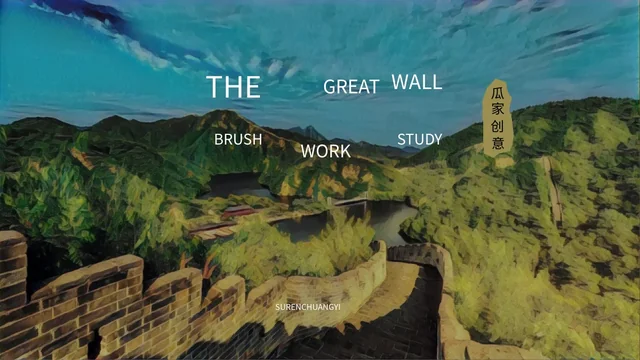
Ink Scroll Book Sharing Presentation Template combines ink landscapes, brush accents, large calligraphy and book illustrations. Ink Scroll Book Sharing Presentation Template also has fan pictures, a bamboo scroll and an illustrated reader figure. Chinese words already printed in the artwork of Ink Scroll Book Sharing Presentation Template remain part of those images. The figure in Ink Scroll Book Sharing Presentation Template is not identified here as a particular historical writer or the author of your book. Give Ink Scroll Book Sharing Presentation Template your own captions without inventing an artist, place or reading event. When replacing an image, check its crop and leave room for the nearby text. Printed lettering does not behave like an editable text box.
Is Ink Scroll Book Sharing Presentation Template an English deck?
Ink Scroll Book Sharing Presentation Template uses editable English guidance for book focus, ideas, shared views and further reading. Ink Scroll Book Sharing Presentation Template keeps its original artwork, including Chinese calligraphy and picture lettering. The corresponding slide notes in Ink Scroll Book Sharing Presentation Template retain original source text references, separate from the new English prompts. All website languages for Ink Scroll Book Sharing Presentation Template download the same PowerPoint file. Replace the questions in Ink Scroll Book Sharing Presentation Template with your passages and observations, consulting the notes if you need the original wording. This is an English adaptation with original image text and source notes still present, not a claim that every element of the package has been translated.
Can I edit Ink Scroll Book Sharing Presentation Template?
Ink Scroll Book Sharing Presentation Template has editable ordinary headings, passages and short labels. Ink Scroll Book Sharing Presentation Template puts some labels in circles or narrow vertical areas, so choose concise words that fit. Check the rotated index text in Ink Scroll Book Sharing Presentation Template after changing words or font size. After replacing a picture in Ink Scroll Book Sharing Presentation Template, review its crop and the surrounding ink decoration. Choose only a few reading points for each page of Ink Scroll Book Sharing Presentation Template and review the result at your presentation size. The original calligraphy, book text and fan lettering stay within pictures rather than separate editable text fields. Save a copy before making larger changes.
Does Ink Scroll Book Sharing Presentation Template contain native charts?
Ink Scroll Book Sharing Presentation Template does not contain native charts, linked workbooks or table objects. Ink Scroll Book Sharing Presentation Template uses manually arranged cards, circles, numbers and ordinary text. Six numbered notes in Ink Scroll Book Sharing Presentation Template help organize observations, without calculating reading progress or measured results. The four-point sequence in Ink Scroll Book Sharing Presentation Template is a manual way to plan reading and conversation, not a timer or automatic reporting tool. If you need a data chart in Ink Scroll Book Sharing Presentation Template, add one separately and explain your own figures. Review its labels, colours and size. Keep the distinction between an illustrative example and a measured claim clear to your audience.
Which font does Ink Scroll Book Sharing Presentation Template use?
Ink Scroll Book Sharing Presentation Template uses Source Han Sans SC Regular for ordinary editable text. Ink Scroll Book Sharing Presentation Template does not embed font files, so check the font is available when editing on another computer. Small circle labels in Ink Scroll Book Sharing Presentation Template need short phrases suited to their original frames. Review the vertical index words and the larger headings of Ink Scroll Book Sharing Presentation Template after changing text or size. Keep additions to Ink Scroll Book Sharing Presentation Template clear of brush accents and book pictures. Original lettering within a picture follows the image itself, not editable font settings. Check the whole slide at the size your group will see.
Does Ink Scroll Book Sharing Presentation Template retain audio?
Ink Scroll Book Sharing Presentation Template keeps the original audio linked to its opening slide. The audio metadata in Ink Scroll Book Sharing Presentation Template does not identify a track title or performer. The sound in Ink Scroll Book Sharing Presentation Template is therefore not presented here as music by a named artist. Test playback of Ink Scroll Book Sharing Presentation Template before your session and choose volume settings suitable for the room. The retained audio in Ink Scroll Book Sharing Presentation Template does not establish an additional music licence and is separate from the new book guidance. Review the opening and the transition into conversation so the soundtrack supports the atmosphere without distracting from passages or other readers.
What sessions suit Ink Scroll Book Sharing Presentation Template?
Ink Scroll Book Sharing Presentation Template offers a structure for a book introduction, reading group or discussion of different views. Ink Scroll Book Sharing Presentation Template does not provide a completed analysis of a named book or verified claims about reading benefits. The English prompts of Ink Scroll Book Sharing Presentation Template ask you to bring your own passages, observations and open questions. Use Ink Scroll Book Sharing Presentation Template to connect an idea with the book's words, hear another interpretation and choose a next reading action. Select the paper notes or picture layouts in Ink Scroll Book Sharing Presentation Template that suit your group. The artwork provides a setting; it is not evidence of a real historical reader or a verified reading event.