Magenta Design Portfolio Presentation Template: four design areas in magenta frames
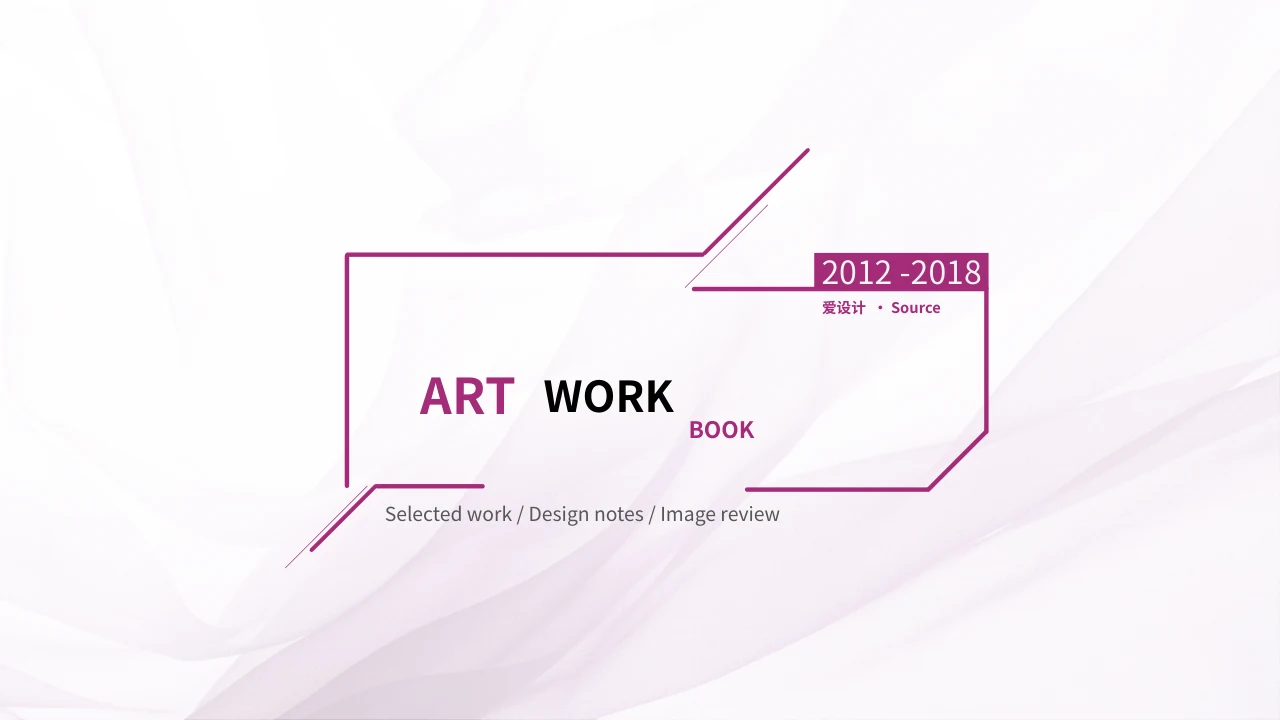
Magenta Design Portfolio Presentation Template contains 26 slides in a 16:9 format. Pale geometric backgrounds, magenta outlines and diagonal accents connect a profile, a contents page and four design areas. Magenta Design Portfolio Presentation Template moves from painting and graphics to environmental and industrial design, with dividers on pages 4, 11, 17 and 22. Drawing studies, colour paintings, typography, packaging, posters, plans, interiors and product concepts appear in varied picture galleries. Magenta Design Portfolio Presentation Template provides English headings and concise prompts for discussing your own selected work. The profile and skill figures are examples, while supplied pictures retain their printed text and source marks. Original ordinary text remains in slide reference notes. Magenta Design Portfolio Presentation Template ends with a thank-you layout; source names and an included audio track remain separate from the new guidance.
Key Features of Magenta Design Portfolio Presentation Template
Magenta frames, picture galleries and focused editing prompts.
Magenta Geometry
Magenta Design Portfolio Presentation Template has magenta frames and diagonal accents on pale backgrounds. Keep your captions clear of the lines.
Four Design Areas
Magenta Design Portfolio Presentation Template separates painting, graphics, spaces and products with four dividers. Use each section to organise related examples.
Picture Galleries
Magenta Design Portfolio Presentation Template arranges drawings, posters, plans and product images in galleries. Choose views that make your point easy to see.
Profile and Skills
Magenta Design Portfolio Presentation Template has a profile and five manual skill examples. Replace sample fields and figures with details you can support.
Source Details
Magenta Design Portfolio Presentation Template retains printed art text and source marks in pictures. Keep these separate from claims about your own contribution.
English Prompts
Magenta Design Portfolio Presentation Template adds short English prompts beside supplied imagery. Write checked captions and keep original source notes separate.
How to Use Magenta Design Portfolio Presentation Template
Choose your work, download and review your changes.
-
Preview the Work
Preview all 26 slides of Magenta Design Portfolio Presentation Template. Check the four design areas, image crops and source details before choosing pages that support your own story.
-
Download the File
Get Magenta Design Portfolio Presentation Template with an active paid plan. Keep an unchanged copy and source notes and gather your own pictures, checked captions and project information.
-
Edit and Review
Edit Magenta Design Portfolio Presentation Template with your own material. Check fonts, credits and picture crops, review the included audio, then inspect your selected pages before sharing.
Frequently Asked Questions about Magenta Design Portfolio Presentation Template
What is included in Magenta Design Portfolio Presentation Template?
Magenta Design Portfolio Presentation Template contains 26 widescreen PowerPoint slides in a 16:9 format. Magenta Design Portfolio Presentation Template combines a profile, a four-item contents page, picture galleries and a thank-you layout. Painting, graphics, environmental design and industrial design begin at dividers on pages 4, 11, 17 and 22. Magenta Design Portfolio Presentation Template includes drawing studies, colour paintings, typography, identity materials, packaging, posters, architectural views, plans, interiors and product concepts. Magenta frames and diagonal accents connect these varied layouts. Magenta Design Portfolio Presentation Template uses English prompts to help you discuss selected work rather than supplying a verified project history. Preview Magenta Design Portfolio Presentation Template and choose pages whose pictures and arrangement support the point you want to explain.
Are the profile and skills in Magenta Design Portfolio Presentation Template real personal information?
Magenta Design Portfolio Presentation Template provides a profile layout with example fields and a supplied picture. Magenta Design Portfolio Presentation Template does not verify the pictured person’s identity, education, location or relationship to the source labels. The age and other profile details are samples for replacement. Magenta Design Portfolio Presentation Template also retains five manually labelled skill figures: PS 90, CDR 70, AI 70, AE 60 and PPT 80. Those figures are not evidence of a real person’s abilities or measurements linked to a data source. Use Magenta Design Portfolio Presentation Template to describe your own role and supported experience. Replace the example details in Magenta Design Portfolio Presentation Template with accurate information, and avoid assigning source names or skill values to someone merely because their picture appears beside them.
Can I replace pictures in Magenta Design Portfolio Presentation Template?
Magenta Design Portfolio Presentation Template arranges supplied images in cropped, tilted, paired and multi-picture galleries. Select an image in Magenta Design Portfolio Presentation Template and inspect its proportions, visible details and overlap before replacing it. A drawing study, poster, plan or product picture may contain printed wording that belongs to the image. Magenta Design Portfolio Presentation Template does not make that wording editable simply by providing an editable caption beside it. Keep genuine source marks intact when using supplied imagery, and use replacement pictures you may use. Review Magenta Design Portfolio Presentation Template after changing crops so important subjects and credits remain visible. Add a caption to Magenta Design Portfolio Presentation Template that distinguishes your contribution from supplied examples and describes information you have checked.
How do I download Magenta Design Portfolio Presentation Template?
Magenta Design Portfolio Presentation Template is available to accounts with an active paid plan. Open the download panel for Magenta Design Portfolio Presentation Template, sign in if needed and use the download action to request the PowerPoint file. Active paid members can download Magenta Design Portfolio Presentation Template repeatedly, with no daily download limit. A preview is useful for selecting layouts, but it does not replace the editable file. Keep an unchanged copy of Magenta Design Portfolio Presentation Template before modifying headings, captions or pictures. Choose the pages you need and prepare your own verified profile details, project context and imagery. Download access to Magenta Design Portfolio Presentation Template does not independently grant extra rights to the supplied pictures, source marks or audio recording.
Which fonts does Magenta Design Portfolio Presentation Template use?
Magenta Design Portfolio Presentation Template uses Source Han Sans SC Regular and Bold for its editable English text. These fonts are not embedded in Magenta Design Portfolio Presentation Template. Install the appropriate fonts or choose suitable alternatives before editing, then check the result in your presentation application. Magenta Design Portfolio Presentation Template has narrow profile headings, small source labels and large section numbers that can change appearance when a different font is substituted. The converted cover and closing titles are editable text, while lettering printed inside pictures remains part of the imagery. Check Magenta Design Portfolio Presentation Template for wrapping, clipped captions and collisions around diagonal accents. Inspect Magenta Design Portfolio Presentation Template again after saving or exporting, rather than assuming the first preview guarantees identical rendering in every application.
Is every part of Magenta Design Portfolio Presentation Template translated into English?
Magenta Design Portfolio Presentation Template has English editable headings and independent prompts for discussing selected work. Magenta Design Portfolio Presentation Template is not a translation of every supplied artwork, printed label or source record. Chinese lettering inside typography, packaging, posters and architectural plans remains in the original pictures. Magenta Design Portfolio Presentation Template also preserves source names such as 爱设计 and 韩梅梅 as source labels rather than verified authors of the new guidance or every pictured work. Original ordinary wording is kept separately in slide reference notes and may contain Chinese. Use Magenta Design Portfolio Presentation Template to present your own checked material without treating those source records as a biography or project claim. Review both the visible pages and the reference notes in Magenta Design Portfolio Presentation Template before preparing a version for your audience.
Does Magenta Design Portfolio Presentation Template contain editable charts or linked data?
Magenta Design Portfolio Presentation Template contains no native charts, embedded data workbook or native table. Magenta Design Portfolio Presentation Template uses ordinary text and graphic arrangements alongside supplied pictures. The five skill values on the profile page are manually labelled examples, not results calculated from a spreadsheet. Architectural plans in Magenta Design Portfolio Presentation Template are pictures, and product views do not provide technical models or verified specifications. You can update editable labels in Magenta Design Portfolio Presentation Template, but changing a number does not automatically update a pictured diagram or create a data connection. If your presentation needs current measurements, prepare your own supported figures and suitable visualisations. Check the labels, images and captions in Magenta Design Portfolio Presentation Template together so they describe the same information clearly.
What should I check about source credits and audio in Magenta Design Portfolio Presentation Template?
Magenta Design Portfolio Presentation Template retains genuine names, printed marks and provenance details in its supplied material. Magenta Design Portfolio Presentation Template does not establish that every pictured work was made by one source-labelled person or that membership expands the rights attached to an image. The file also retains an audio recording associated with the opening slide. Magenta Design Portfolio Presentation Template does not identify its artist or recording from verified metadata, and no additional audio licence is granted here. Review the recording and its use before including it in your presentation. Use Magenta Design Portfolio Presentation Template with material appropriate for your intended purpose, retaining required source details. If permission or context is uncertain, obtain the information you need before sharing a version of Magenta Design Portfolio Presentation Template containing that material.
How should I share a finished version of Magenta Design Portfolio Presentation Template?
Magenta Design Portfolio Presentation Template works best when your selected pages tell a coherent story about your own material. Before sharing Magenta Design Portfolio Presentation Template, replace sample profile details, skill figures and captions, and keep genuine credits distinct from your own commentary. Review all selected galleries for crops, overlapping text and source marks. Check Magenta Design Portfolio Presentation Template in the application you plan to use, including fonts and any audio you intend to retain. A PDF can provide a static review copy, but it does not demonstrate audio playback or replace the editable PowerPoint file. Save a completed working copy of Magenta Design Portfolio Presentation Template for later revisions. Share the appropriate format after checking that the wording, images and recording in Magenta Design Portfolio Presentation Template are suitable for your audience and intended use.