

Mauve Woodland Frame Presentation Template: a picture frame for classroom ideas
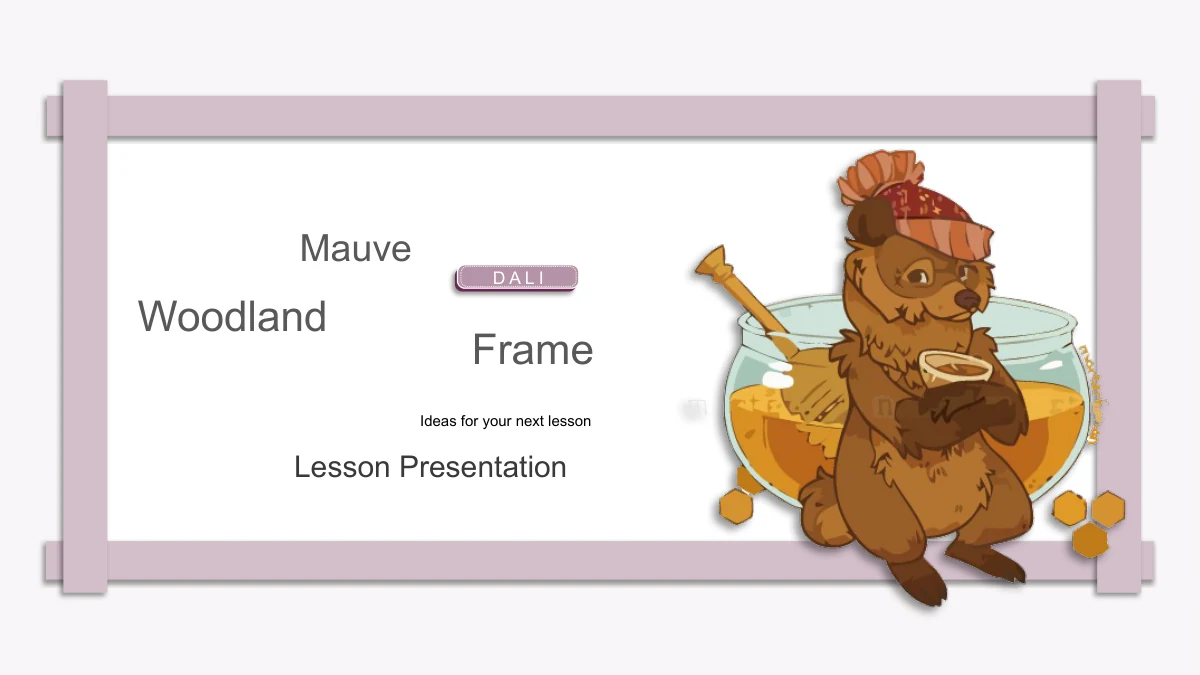
A soft mauve frame runs around the pages of Mauve Woodland Frame, turning each slide into a small illustrated display. A bear beside a honey pot introduces the deck; foxes, autumn leaves, an elephant portrait and a rear-view cat appear inside. The 22 slides follow four sections, with pinned-note dividers marking Overview, Ideas, Activities and Review. Content layouts range from three numbered columns to four notes placed around a character. Narrow picture strips, circular detail crops and paired text areas offer different ways to discuss examples without crowding the illustrations. Most pages keep their center white, while a pale band occasionally picks out one row of notes. The English prompts are starting points for your own teaching material. Choose a sequence, add the question or example each page needs, and keep explanations short enough to sit comfortably within the frame. A matching bear-and-honey closing brings the presentation back to its opening design.
Key Features of Mauve Woodland Frame Presentation Template
Framed pages, woodland characters and flexible note groups.
A Consistent Mauve Frame
Overlapping mauve strips and soft shadows frame a white writing area. The repeated border links the pages, while pale note bands add emphasis within the design.
Animals and Seasonal Details
A bear with honey, several foxes, an elephant and a cat accompany the notes. Autumn leaves and winter clothing vary the artwork without defining a complete subject.
Four Pinned-Note Dividers
Overview, Ideas, Activities and Review each begin beside the bear. A pinned-note panel holds the section name, part label and a short introduction to your material.
Three- and Four-Part Notes
Numbered columns, stacked rows and notes around a central character organize small groups of ideas. Choose the arrangement that best fits your examples or questions.
Different Views of the Artwork
Circular details, narrow picture strips and an oval elephant portrait change the framing. Nearby text areas leave room to explain a detail or compare two viewpoints.
Space to Review and Reflect
Look Back, Think Again and Next Step form a staggered review page. Other closing layouts offer three note columns, followed by a thank-you slide that echoes the cover.
How to Use Mauve Woodland Frame Presentation Template
Select the pages, add your examples and review the framing.
-
Build your lesson sequence
Start with your topic and a few clear questions. Browse all 22 previews, then select the section dividers and note layouts that fit your material, keeping space for the animal illustrations.
-
Replace the sample notes
Download the English PPTX with an active paid membership and save a working copy. Change the headings and prompts, choosing short examples that fit the numbered columns and framed writing areas.
-
Check the finished slides
Inspect the frame, picture crops and circled numbers after editing. Review a PDF for spacing, and test any slide effects on your presentation computer before using the file with your class.
Questions about Mauve Woodland Frame Presentation Template
How are the 22 slides organized?
There is a cover, a contents page, four section dividers, 15 content pages and a closing. The dividers on slides 3, 8, 13 and 18 introduce Overview, Ideas, Activities and Review. You can keep that order or select the layouts needed for your own sequence.
Is this an animal lesson or a complete woodland story?
The animal illustrations supply the visual setting. The file does not contain a finished animal-science lesson, story or planner. Its English headings and prompts are examples; add the facts, questions and activities your students need.
What can I change in the PowerPoint file?
Text boxes and separate drawing shapes are editable. The detailed animals, leaves and other illustrated objects remain pictures. Use the existing note areas for your content, and check the crop and surrounding text whenever you replace an image.
Which layouts help compare or group ideas?
Slide 10 pairs two narrow picture strips with two text columns. Other pages offer three numbered notes, four groups around an animal or two views beside fox illustrations. Select a layout according to how many ideas you need to explain, rather than filling every available box.
Are there data charts or linked workbooks?
No. The numbers identify note groups and sections; they are not data displays. There are no native data charts or embedded workbooks. If your material needs a graph, add one based on your own checked values and leave enough space for readable labels.
How do I keep the woodland illustrations looking right?
Several pages reuse portions of the same picture through circular, oval or narrow crops. Preserve the framing if you want the previewed appearance. After replacing a picture, inspect its position, the nearby notes and any credits that belong to the original artwork.
Which fonts and editors should I check?
The English text uses Arial without embedded fonts. Check the circled number symbols as well as the text, because their appearance depends on available fonts. Google Slides and Keynote compatibility has not been tested; inspect any converted copy before presenting.
Who can download this template?
An active paid membership is required. Members can download without a daily limit and get another copy when needed. All website language versions provide the same English PPTX. Share the template page link when recommending the design.
Should I keep the D A L I label and image signatures?
Yes. The original D A L I badge on the opening and closing, along with marks in the artwork, remains in the file. These marks do not establish a verified author identity or a commercial license. Keep relevant credits and check the artwork rights before commercial reuse.