Orange Angles Lesson Presentation Template: a clear framework for teaching ideas
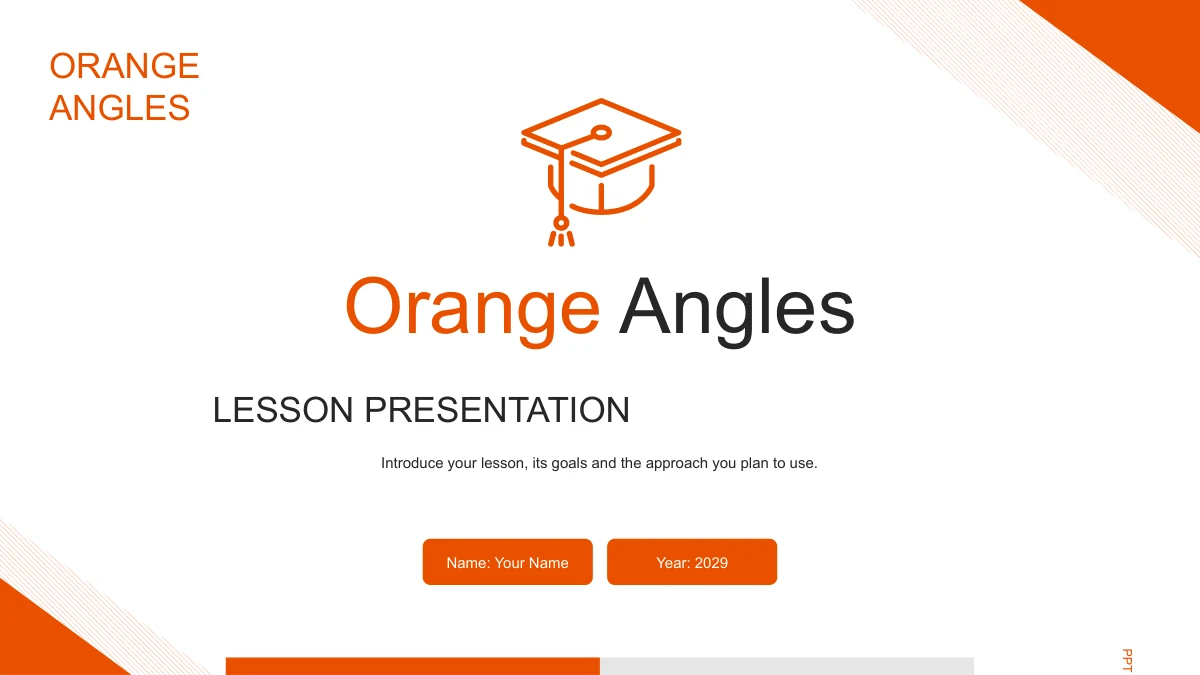
Orange Angles Lesson Presentation Template gives teachers a visual framework for explaining how a lesson will work. Burnt-orange corner frames, diagonal hatching and thin outline icons bring a consistent style to 24 widescreen slides. Four chapters move through Lesson Context, Learning Goals, Lesson Activities and Lesson Review, with pencil dividers marking each change of focus. Use the photo layouts to introduce learners and teaching situations, then connect goals to activities through rings, numbered cards and short notes. The English text supplies adaptable examples and prompts, rather than a completed subject lesson. Add the content, resources and evidence that fit your class. The closing review pages leave room to reflect on learning and propose a next step. Keep labels short inside the smaller shapes, and use the larger text areas to explain the choices behind your teaching approach.
Inside Orange Angles Lesson Presentation Template
Orange frames and clear space for teaching ideas.
Orange Angles and Education Icons
Burnt-orange frames and diagonal hatching surround white content areas. Pencil dividers and outlined books, caps and lightbulbs give the deck its teaching style.
Four Teaching Chapters
Lesson Context, Learning Goals, Lesson Activities and Lesson Review organize the deck. Matching dividers separate learners, outcomes, activities and reflection.
Photos with Room for Context
Writing, meeting and laptop photos sit beside short notes or inside circular crops. Use these layouts to explain a learning setting and the support learners need.
Connected Ideas and Sequences
Linked rings, four activity cards and a four-stage path organize teaching ideas. A six-part icon wheel connects tasks, support and classroom review in a new layout.
Manual Examples to Adapt
The 12% and 34% labels are separate examples, and four skill bars are manual shapes. Adjust the wording and lengths yourself; neither layout uses linked data.
Reflection and Next Steps
Branching review points, six reflection notes and four next steps guide the close. A final photo summary gives space for the takeaway and a follow-up action.
How to use Orange Angles Lesson Presentation Template
Choose layouts, add your lesson and rehearse.
-
Preview the Teaching Framework
Browse all 24 slides to see how the four chapters connect. Choose photo pages, goal layouts and activity diagrams that give your lesson explanation enough room without crowding labels.
-
Download and Adapt the Examples
Download the PPTX with an active paid membership. Add your lesson content, replace the name and sample year, and adjust the manual examples to reflect what you want learners to do.
-
Check the Lesson Flow
Rehearse the move from context to goals, activities and review. Check short labels, photo crops and animations in your presentation app, then prepare the version you are permitted to share.
Questions about Orange Angles Lesson Presentation Template
How do I download Orange Angles Lesson Presentation Template?
An active paid membership provides access to the PowerPoint PPTX, with unlimited daily and repeat downloads. Save a working copy before changing the lesson examples so you can return to the supplied layouts for another presentation.
What is included in the 24 slides?
The 16:9 deck contains a cover, contents page, four chapter dividers, teaching layouts and a Thank You page. The chapters are Lesson Context, Learning Goals, Lesson Activities and Lesson Review. They provide a framework for explaining a lesson; you supply the subject content, resources and classroom evidence.
Can I edit the diagrams and example values?
Text, colors and grouped shapes can be edited. The context page has independent 12% and 34% examples, while the Skills page has four manually drawn bars. These are not native charts and have no embedded workbook. Change the labels and shape lengths to fit your explanation. Photos remain images.
Can I preview every slide before downloading?
Yes. The gallery shows all 24 pages in order, including the four dividers, photo layouts, connected diagrams and matching closing page. Review the complete Orange Angles design to decide which layouts suit your lesson and how much detail each page can hold.
Will the file work in Google Slides or Keynote?
The download is a PowerPoint PPTX. Compatibility with Google Slides and Keynote has not been tested. If you import it, inspect the grouped shapes, picture crops, fonts and animation order in that application before using the presentation with your class or colleagues.
Which font does the English presentation use?
The editable English text uses Arial, with no embedded font files. Make sure Arial is available when editing, and check line breaks after replacing the prompts. Brief labels work best in the narrow cards, rings, small icon headings and four-stage activity path.
Is this a finished lesson, and what language is the download?
The file contains English teaching prompts and examples, not a completed subject lesson. All localized pages provide the same English PPTX. Replace Your Name and the sample year 2029, then add your learning goals, activities and evidence. The graduation-cap artwork is part of the design.
What permissions should I check before using the template?
Paid membership provides download access; it does not add rights to third-party material. Check the applicable source and redistribution terms before commercial use or sharing an edited file. Source links remain in the notes. Confirm permission for any photographs, learner work or other material you add.
How can I share my lesson presentation?
Share this template page when colleagues want to preview the design. Where permitted, send your edited presentation or an export after checking the layout. Remove private learner information, make the example figures appropriate to your lesson and keep an editable copy for future changes.