

Peach Rainbow Moments Presentation Template: a soft frame for colorful ideas
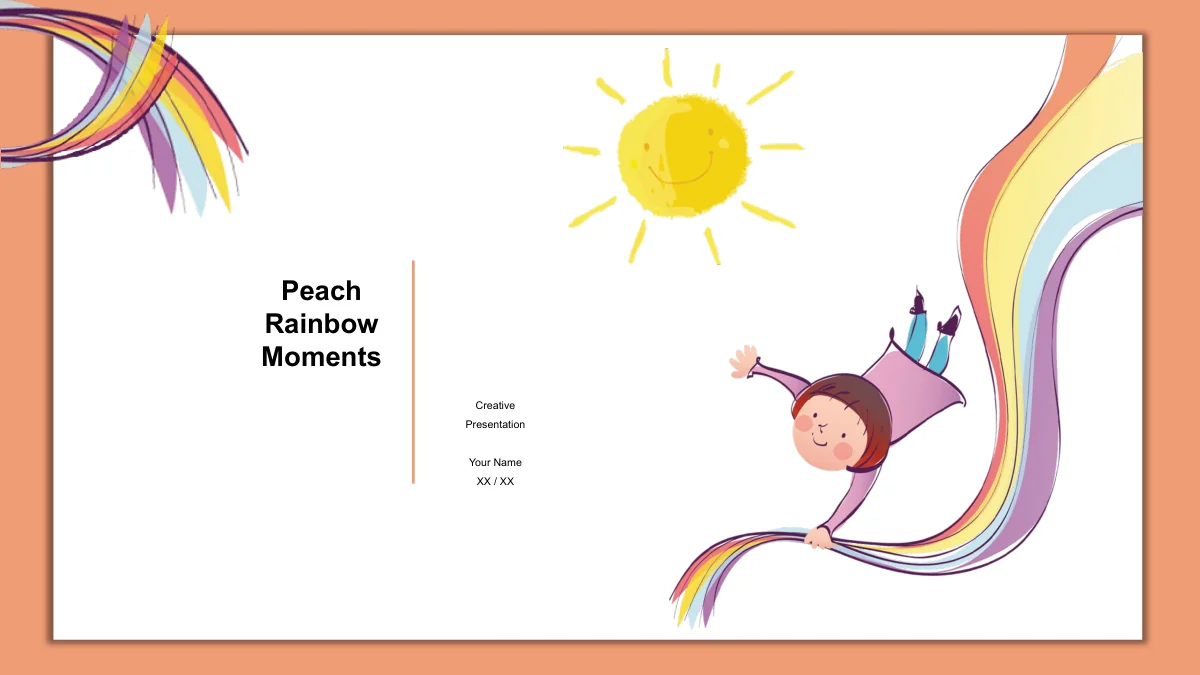
Peach Rainbow Moments surrounds a white slide canvas with a soft peach border and shadow. A child with a rainbow ribbon and a smiling sun introduces the presentation, while watercolor feathers, an owl, whales and a giraffe bring different characters to the content pages. The 16-slide sequence includes an opening, a four-part contents page, four section dividers, nine content layouts and a closing. Numbered notes, paired explanations and illustrated steps make room for a short talk on your own subject. One page includes a native area chart with an embedded workbook; another uses six manually drawn bars and independent sample numbers. These elements need different editing methods. The file supplies an adaptable visual framework rather than a finished lesson or report. Choose the layouts that suit your message, keep notes brief, replace the examples and use the recurring frame to connect the presentation.
Peach Rainbow Moments Presentation Template Features
Soft colors, illustrated companions and editable examples.
A Peach Frame and Rainbow Opening
A peach border and soft shadow surround the white slide canvas. The rainbow-ribbon child and smiling sun connect the opening, section dividers and closing design.
Watercolor Animals and Feathers
An owl, a giraffe, whales and watercolor feathers give the note layouts distinct focal points. Pair each illustration with a brief explanation of your own topic.
Four Sections with Matching Dividers
A four-part contents page and numbered dividers organize the sequence. Rename the outline and section headings together as you adapt the presentation to your talk.
An Editable Monthly Area Chart
The pink area chart has January-to-December categories and an embedded workbook. Replace its sample values, then review the percentage axis and labels in PowerPoint.
Separate Manual Bar Examples
A different page contains six drawn bars and example numbers beside icon-led notes. Update each label and shape separately; these bars are not linked to a workbook.
Short Notes and Illustrated Steps
Six numbered notes, three whale-led steps and paired feather layouts give you several structures. Choose one that fits your point and keep the supporting text brief.
How to Use the Peach Rainbow Moments Presentation Template
Choose the sequence, replace examples and check the result.
-
Choose Your Pages and Sections
Browse all 16 previews and plan a short sequence for your audience. Select illustrated notes or the chart page as needed, then align the four contents entries with your chosen section headings.
-
Replace Text and Sample Figures
Download the English PPTX with an active paid membership. Add your own headings and notes, edit the area chart through its workbook, and update the separate drawn bars and number labels manually.
-
Review Details Before Presenting
Check the chart axis, narrow text and illustrations at presentation size. Review animations in your editor, inspect any PDF export and keep an editable copy for your next round of changes.
Peach Rainbow Moments Presentation Template Questions
How can I download this presentation?
Sign in with an active paid membership and use the download button. You can download the English PPTX without a daily limit and return for another copy of the same template when needed.
What does the 16-slide file include?
The widescreen file contains a cover, contents, four section dividers, nine content pages and a closing. The gallery shows all 16 slides in their original order so you can choose suitable layouts.
Is this a ready-made lesson or report?
No. The file provides illustrated layouts and editable example text. Add your own subject, explanations and verified information. The animals and rainbow artwork are design elements, not a complete course or research topic.
Which parts of the illustrations are editable?
You can edit text, separate shapes and the native chart. The supplied illustrations remain picture objects; individual painted details are not separate PowerPoint shapes. Keep any original image signature when using the artwork.
How should I edit the area chart?
Edit the chart’s embedded workbook in PowerPoint. Its sample monthly values use a percentage-formatted axis: 4.3 displays as 430%, not 4.3%. Set values and formats to match your own data, then check the labels.
Are the other bars linked to the chart workbook?
No. The six bars with 55, 70, 85, 40, 60 and 80 are separate drawing examples. Their labels do not contain a percent sign. Change both the text and bar lengths to suit your information; they do not recalculate automatically.
Which fonts and presentation editors should I use?
The English text uses Arial, with no embedded fonts. Check that the font is available and review the presentation in your editor. Google Slides and Keynote compatibility has not been tested.
Does the presentation include music or animation?
The file contains no audio or video. Its non-audio animations are retained, while the previews are static images. Review playback in your presentation editor before using the file with an audience.
Do translated pages offer a translated PowerPoint file?
Every language page provides the same English PPTX. The localized descriptions and image captions explain that file. Translate the editable slide text for your own audience if you need another language.