Red Speech Creative Presentation Template: a red accent for a clear story
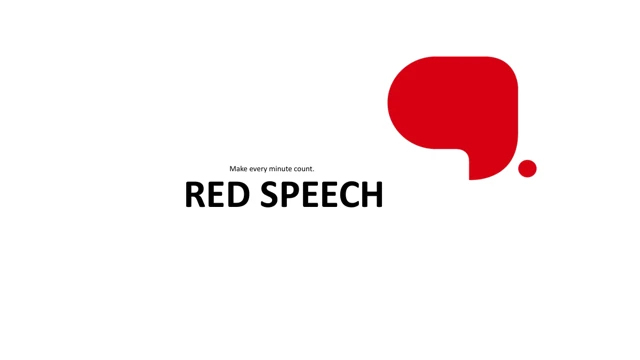
Red Speech Creative Presentation Template uses a red speech bubble on a white cover, then carries the same red, black and pale grey palette through 25 slides. Red Speech Creative Presentation Template separates four parts with numbered diamond dividers on pages 3, 10, 15 and 20. The opening contents layout places the part names beside a circular graphic, while the ending returns to the bubble with END inside it. Red Speech Creative Presentation Template includes social icon tiles, circular portraits, three profile cards and a globe with surrounding symbols. The two timeline styles use examples such as 2013, 2014, 2016, 2018 and 2020; these dates are sample labels, not a history of your organization. Red Speech Creative Presentation Template also offers two SWOT layouts, an agenda, a five-point route, a red phone illustration and three independent counts: 4’570, 2’210 and 587. No native PowerPoint chart or embedded spreadsheet is present; the diagrams and metric labels are shapes and text. Red Speech Creative Presentation Template keeps all original pages, pictures and object positions. Chinese section prompts, profile names and business-model labels have been translated into short English prompts. Source creator headers and promotional notes were removed, and narrow labels received necessary font fitting. Other original English and Latin sample copy remains for you to replace. Red Speech Creative Presentation Template is an editable starting point: choose the relevant pages, add verified names and figures, and inspect every slide at presentation size. The preview shows the downloadable English PPTX; changing this website’s language does not translate text inside that file.
Key Features of Red Speech Creative Presentation Template
Red accents across four parts.
Speech Bubble
Red Speech Creative Presentation Template has red cover and closing bubbles.
Four Parts
Red Speech Creative Presentation Template uses four numbered diamond dividers.
People Layouts
Red Speech Creative Presentation Template offers portraits and three profile cards.
Timelines
Red Speech Creative Presentation Template includes dated examples and a five-point route.
SWOT Views
Red Speech Creative Presentation Template has two SWOT views made from shapes.
Flexible Metrics
Red Speech Creative Presentation Template presents three separate sample counts.
How to Use Red Speech Creative Presentation Template
Preview, edit and share.
-
Preview
Review every page of Red Speech Creative Presentation Template and choose your layouts.
-
Download
Get Red Speech Creative Presentation Template with an active paid plan.
-
Edit and share
Replace the examples in Red Speech Creative Presentation Template and check the exported result.
Questions about Red Speech Creative Presentation Template
How do I download Red Speech Creative Presentation Template?
Sign in with an active paid plan and select Download PPTX. Red Speech Creative Presentation Template can be downloaded repeatedly, with unlimited daily downloads for paid members. Before downloading Red Speech Creative Presentation Template, use the gallery to compare its red and white layouts with your outline. Save a separate working copy of Red Speech Creative Presentation Template so you can return to the original examples while editing.
How many slides are in Red Speech Creative Presentation Template?
Red Speech Creative Presentation Template contains 25 original slides in a widescreen format. The four diamond dividers appear on pages 3, 10, 15 and 20; the final page shows END in a red bubble. Red Speech Creative Presentation Template also includes contents, profiles, timelines and diagram pages. You may use fewer pages from Red Speech Creative Presentation Template, but the downloadable file and its preview retain the complete sequence.
Can I edit the text, colours and figures in Red Speech Creative Presentation Template?
Open a copy of Red Speech Creative Presentation Template in PowerPoint to change editable text and shapes. The counts 4’570, 2’210 and 587 in Red Speech Creative Presentation Template are separate examples, not totals or verified results. Red Speech Creative Presentation Template contains no native chart or embedded workbook; edit the diagram labels directly. Photographs and artwork stored as single images need image replacement rather than text editing.
Can I preview all of Red Speech Creative Presentation Template before downloading?
Yes. The gallery shows all 25 pages of Red Speech Creative Presentation Template; use the thumbnails, arrows or enlarged preview to inspect them. Check the profile cards and the smaller timeline labels in Red Speech Creative Presentation Template at the size your audience will see. Previewing Red Speech Creative Presentation Template helps you choose a concise sequence and avoid filling every diagram with more text than its space allows.
Will Red Speech Creative Presentation Template work in another presentation editor?
Red Speech Creative Presentation Template is supplied as a PowerPoint .pptx file. An editor that imports PPTX may open Red Speech Creative Presentation Template, but font substitution and differences in shapes, shadows or spacing can affect the appearance. Test a copy of Red Speech Creative Presentation Template in your chosen editor before relying on it. Compare the result with this preview and inspect any exported PDF page by page.
Which fonts does Red Speech Creative Presentation Template use?
Red Speech Creative Presentation Template includes Western font bindings such as Poppins, Open Sans, Segoe UI, Montserrat and Showcard Gothic; Arial replaces Chinese font bindings for the English prompts. Fonts are not embedded in Red Speech Creative Presentation Template. Install the needed fonts or choose available substitutes, then check line breaks and alignment across Red Speech Creative Presentation Template. A font reference does not guarantee that font is installed on your device.
Is the sample text in Red Speech Creative Presentation Template translated?
The Chinese prompts, example names and business labels in Red Speech Creative Presentation Template have been changed to concise English. Some original English and Latin sample copy remains in Red Speech Creative Presentation Template for replacement. The localized website describes Red Speech Creative Presentation Template in your selected language; it does not provide a differently translated PPTX. Add your own names, dates and wording, and remove any remaining examples before presenting.
Can I use Red Speech Creative Presentation Template commercially?
Use Red Speech Creative Presentation Template within the permissions you hold for the original template and any included assets. A paid download of Red Speech Creative Presentation Template does not itself confirm commercial rights for every photograph, social logo or illustration. Check the relevant licence before using Red Speech Creative Presentation Template in client work or redistributing a template file. Replace assets when their permissions do not cover your intended use.
How can I share Red Speech Creative Presentation Template?
Share the link to this page so others can preview Red Speech Creative Presentation Template and obtain it through their own account. For your edited presentation, export a PDF or share a working PPTX when its asset permissions allow. Review Red Speech Creative Presentation Template for leftover names, sample figures and font changes first. Keep an editable copy of Red Speech Creative Presentation Template with your project files for later updates.