Teal Hexagon Company Profile Presentation Template: Hexagons, Photos and a Company Story
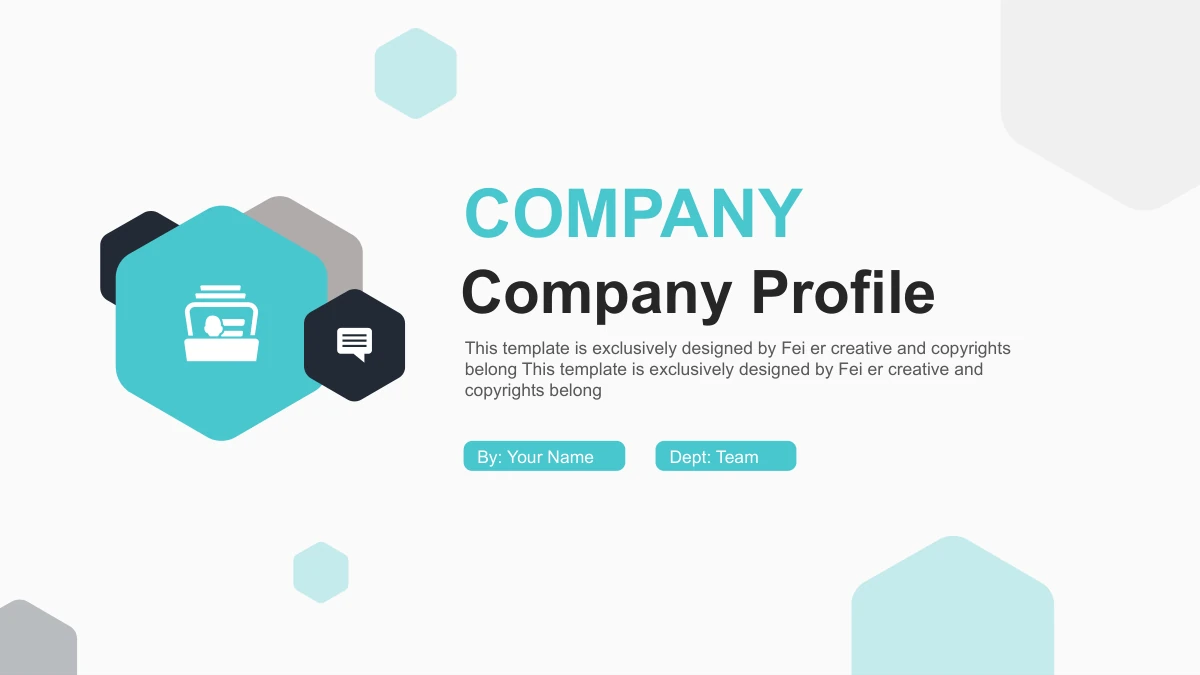
Teal Hexagon Company Profile Presentation Template opens with overlapping teal hexagons on a white company cover. A city photograph backs the four-item agenda, and four speech-bubble dividers separate the sequence. Teal Hexagon Company Profile Presentation Template combines connected icons with photo cards, a ring diagram and a SWOT layout. Its horizontal bar chart contains three sample series across four categories. Other comparisons use manually arranged rings or segmented bars, so check which objects you are editing. Teal Hexagon Company Profile Presentation Template includes 24 slides in 16:9 and closes with a matching Thank You page. Replace short English title prompts with verified company information, keeping each point brief. Original business photos appear in circles, hexagons and a mosaic; inspect their crops before changing them. The file retains its source design credit. Choose images and statements that accurately describe your own organization.
Key Features of Teal Hexagon Company Profile Presentation Template
Teal Hexagon Company Profile Presentation Template brings together teal hexagons, business photos and varied layouts for a concise company introduction.
Teal Hexagons and a White Cover
Teal Hexagon Company Profile Presentation Template pairs teal hexagons with a white cover. Use the short title and presenter fields for your organization.
Four Speech-Bubble Dividers
Teal Hexagon Company Profile Presentation Template separates four sections with speech-bubble hexagons. Match the agenda and divider headings to your outline.
Photo Cards and a Mosaic
Teal Hexagon Company Profile Presentation Template uses circle and hexagon photo frames. Check the mosaic and crops before choosing replacement images.
An Editable Horizontal Bar Chart
Teal Hexagon Company Profile Presentation Template has a bar chart with three series and four categories. Replace its sample data and workbook labels together.
SWOT and Connected Icon Layouts
Teal Hexagon Company Profile Presentation Template offers four SWOT hexagons and connected icons. Keep each explanation brief and make the relationships clear.
Manual Rings and Segmented Bars
Teal Hexagon Company Profile Presentation Template includes manual rings and segmented bars. Update shapes and labels together to match your own examples.
How to Use Teal Hexagon Company Profile Presentation Template
Preview Teal Hexagon Company Profile Presentation Template, select useful company layouts and adapt the English headings to your own material.
-
Choose Your Company Pages
Browse Teal Hexagon Company Profile Presentation Template in order. Select the photo layouts, connected diagrams and chart that suit your company outline, then write one clear point for each page.
-
Download a Working Copy
Teal Hexagon Company Profile Presentation Template requires an active paid plan to download. Save the English PPTX and edit a copy, keeping the original layouts and design credit for reference.
-
Edit and Share Your Profile
Open Teal Hexagon Company Profile Presentation Template in PowerPoint. Replace titles and sample data, check photo rights and text fit, then save your edited PPTX or export a PDF to share.
Questions about Teal Hexagon Company Profile Presentation Template
How do I download Teal Hexagon Company Profile Presentation Template?
An active paid plan is required to download Teal Hexagon Company Profile Presentation Template. Daily downloads are unlimited, including repeat downloads. Keep an unchanged Teal Hexagon Company Profile Presentation Template file and work on a copy. This makes the original hexagon frames, photographs and chart layout in Teal Hexagon Company Profile Presentation Template available when you need to compare an edit or start another company profile.
How many slides does Teal Hexagon Company Profile Presentation Template include?
Teal Hexagon Company Profile Presentation Template contains 24 slides in 16:9. The section dividers are on pages 3, 8, 14 and 19, and page 24 is Thank You. The preview of Teal Hexagon Company Profile Presentation Template retains the complete sequence. Choose the pages of Teal Hexagon Company Profile Presentation Template that support your company outline rather than filling every layout with extra text.
Can I edit the diagrams and data in Teal Hexagon Company Profile Presentation Template?
The English headings and native diagrams in Teal Hexagon Company Profile Presentation Template are editable. Page 7 has a native bar chart with an embedded workbook. The rings and segmented bars elsewhere in Teal Hexagon Company Profile Presentation Template are manually arranged shapes, so editing the workbook does not update them. Photographs remain images. Review the labels, shape sizes and chart categories in Teal Hexagon Company Profile Presentation Template before presenting.
Can I preview all of Teal Hexagon Company Profile Presentation Template before downloading?
The gallery shows all 24 pages of Teal Hexagon Company Profile Presentation Template. Enlarge the photo mosaic, four-hexagon SWOT and horizontal chart to compare them with your outline. Check the icon connections and small labels in Teal Hexagon Company Profile Presentation Template at the size your audience will see. The photos in Teal Hexagon Company Profile Presentation Template are examples, not verified images of your company.
Will Teal Hexagon Company Profile Presentation Template work in another editor?
A PPTX-compatible editor may import Teal Hexagon Company Profile Presentation Template. Compare the hexagon photo crops, circular frames and chart labels against the preview. Keep the original Teal Hexagon Company Profile Presentation Template file while testing. Review grouped diagrams, text wrapping and the bar chart after import, then inspect any PDF exported from your edited Teal Hexagon Company Profile Presentation Template presentation.
Which fonts does Teal Hexagon Company Profile Presentation Template use?
The rendered English text in Teal Hexagon Company Profile Presentation Template uses Arial Regular and Bold, with Wingdings symbols for the original bullets. Fonts are not embedded. The source font settings remain in Teal Hexagon Company Profile Presentation Template, so inspect line breaks if your editor substitutes a face. Check the cover labels and small chart text in Teal Hexagon Company Profile Presentation Template particularly carefully after changing fonts.
Does selecting a website language translate Teal Hexagon Company Profile Presentation Template?
The language selector translates the website information about Teal Hexagon Company Profile Presentation Template. Every language version downloads the same English PPTX. The editable headings, default layout prompts and chart labels in Teal Hexagon Company Profile Presentation Template are English, and the original design credit remains. To translate Teal Hexagon Company Profile Presentation Template itself, edit a copy and check the text fit without removing source attribution.
Can I use Teal Hexagon Company Profile Presentation Template commercially?
Check the terms for Teal Hexagon Company Profile Presentation Template and the rights to any photos or illustrations you retain. Paid access grants no additional third-party rights. Teal Hexagon Company Profile Presentation Template preserves the source design credit and original workplace photographs. Verify the materials and any replacement images before distributing an edited Teal Hexagon Company Profile Presentation Template file or using them in a public company profile.
How do I share Teal Hexagon Company Profile Presentation Template?
Use the share buttons on the Teal Hexagon Company Profile Presentation Template page or copy its page URL. Recipients can preview Teal Hexagon Company Profile Presentation Template; downloading requires their own active paid plan. Share your completed company profile as an edited PPTX or exported PDF under the applicable terms. A Teal Hexagon Company Profile Presentation Template page link shows the original template design.