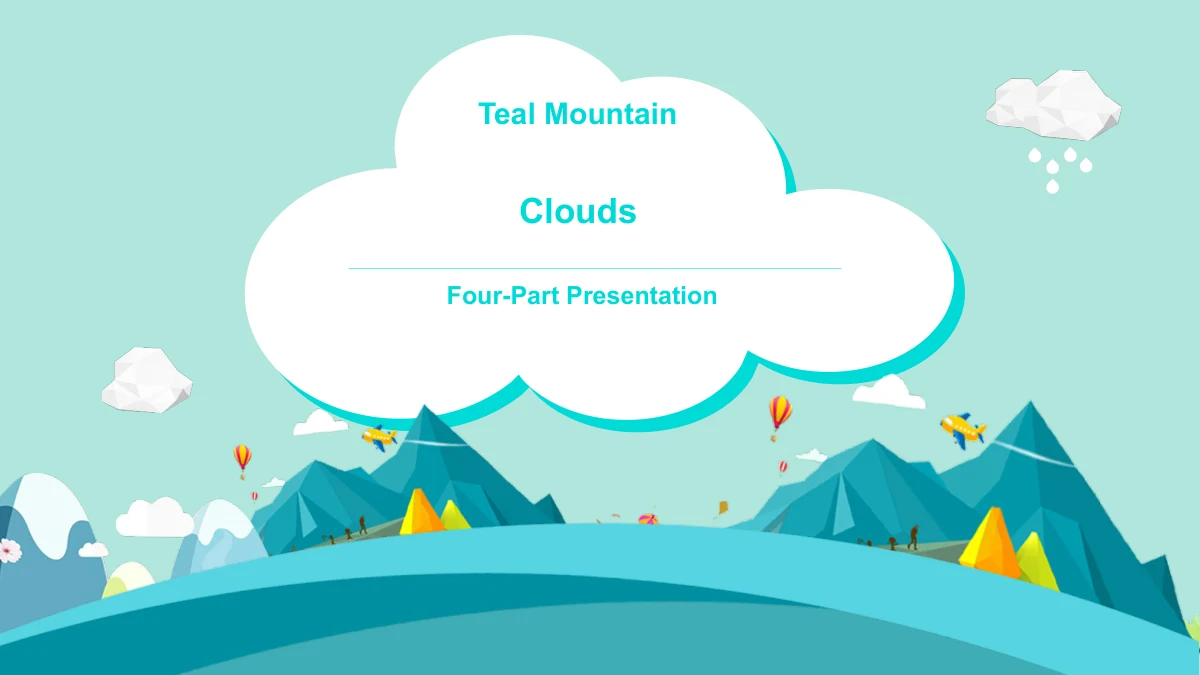
Mountainous Landscape: a teal setting for a four-part presentation
A mountainous landscape gives Teal Mountain Clouds its setting, with angular peaks, white clouds and broad teal curves running through all 25 slides. Small planes and balloons add detail without defining the subject you must present. The mountainous landscape surrounds a cover, contents page, four section dividers, 18 content pages and a closing. Intro, Ideas, Notes and Recap provide a starting outline for your own explanation. Inside this mountainous landscape, you can place short notes beside a flight route, arrange points around a plane or use a framed valley image as a visual pause. Other pages offer a world-map picture, folded ribbons and icon groups. Four separate percentage labels are manual examples, not linked chart data. The mountainous landscape supplies a visual framework rather than a finished geography lesson or a holiday talk. Replace the sample wording, choose relevant pages and check each label before presenting.
Mountainous Landscape Presentation Features
A mountainous landscape with varied places for your message.
Mountainous Landscape Throughout
Angular peaks and teal curves carry the mountainous landscape across all 25 slides. Faceted clouds and small planes add detail around the space for your text.
Four Clear Sections
The mountainous landscape links Intro, Ideas, Notes and Recap. A contents page and four dividers help you organize your subject before adding supporting notes.
Clouds, Routes and Goals
Cloud labels, a curved flight route and mirrored goal layouts vary this mountainous landscape. Use their separate text boxes to introduce connected ideas.
Mountainous Landscape Picture Pages
A faceted valley image appears in two mountainous landscape layouts. Nearby text boxes let you add a short explanation while the supplied picture stays intact.
Independent Sample Percentages
Four manual ring drawings add sample percentages to the mountainous landscape. Update their labels and arcs together; no chart or workbook links their values.
Mountainous Landscape Notes
The mountainous landscape includes icon groups, folded ribbons and a world-map picture. Pair brief notes with these visuals to explain your own topic clearly.
How to Use This Mountainous Landscape Template
Choose a mountainous landscape layout and give it a clear purpose.
-
Choose Mountainous Landscape Pages
Review all 25 mountainous landscape previews, then choose a role for Intro, Ideas, Notes and Recap. Select the routes, picture pages and note layouts that support your own subject.
-
Edit the Mountainous Landscape Slides
Download the English PPTX with an active paid membership. Add your headings and short notes to the mountainous landscape, and revise manual percentage labels alongside their drawings.
-
Check the Finished Sequence
View the mountainous landscape at presentation size. Check small cloud labels, text beside the plane and the four-section order, then inspect any exported version before sharing it.
Mountainous Landscape Template Questions
How can I download the mountainous landscape template?
Active paid members get unlimited daily and repeat downloads of the mountainous landscape PPTX.
What does the mountainous landscape file include?
The mountainous landscape deck has 25 widescreen slides: a cover, contents, four dividers, 18 content pages and a closing.
Is this mountainous landscape a complete geography lesson?
No. The mountainous landscape provides a general presentation setting; add your own subject and supporting information.
Can I preview the entire mountainous landscape deck?
Compare all 25 mountainous landscape previews, including picture pages, dividers and note layouts.
Are the mountainous landscape rings linked to chart data?
No. The mountainous landscape has four independent sample percentages. Edit labels and arcs separately; there are no charts or workbooks.
Which fonts does the mountainous landscape use?
The mountainous landscape template uses Arial without embedded fonts. Check narrow cloud labels after changing the typeface.
Can I open this mountainous landscape template in other editors?
Google Slides and Keynote are untested. Review the imported mountainous landscape slides before presenting.
Does the mountainous landscape download match my website language?
All languages download the same English mountainous landscape PPTX. Editable text can be translated; supplied artwork remains pictures.
What should I check before sharing an edited version?
Follow applicable source permissions when sharing the mountainous landscape. Download access grants no additional artwork rights; retain genuine attribution.