Vintage Pictorial Presentation Template: rust-brown frames and a vintage portrait sequence
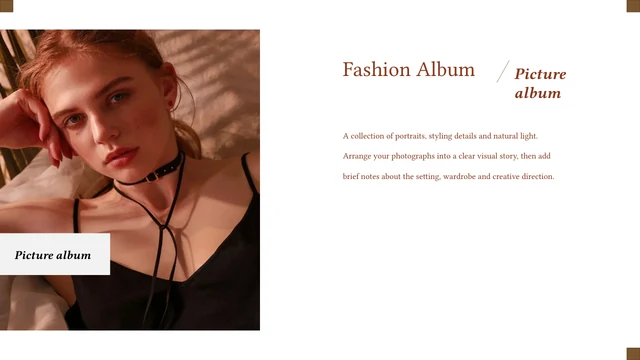
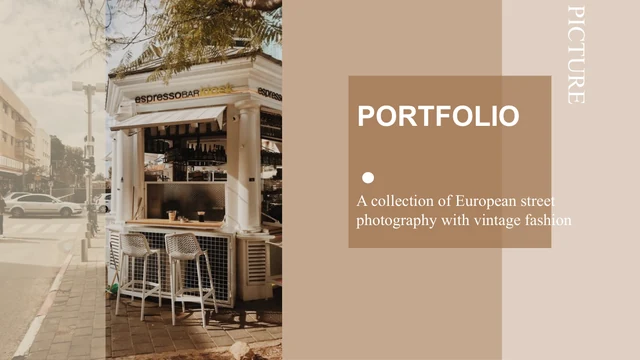
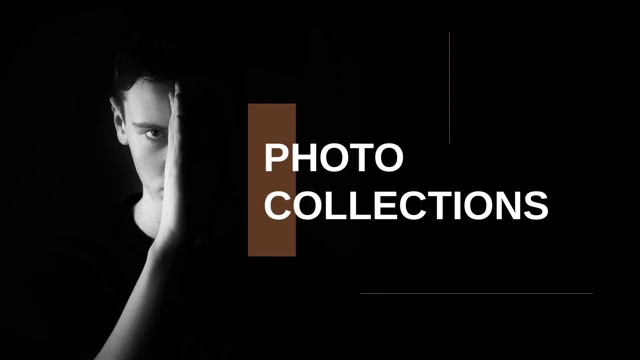
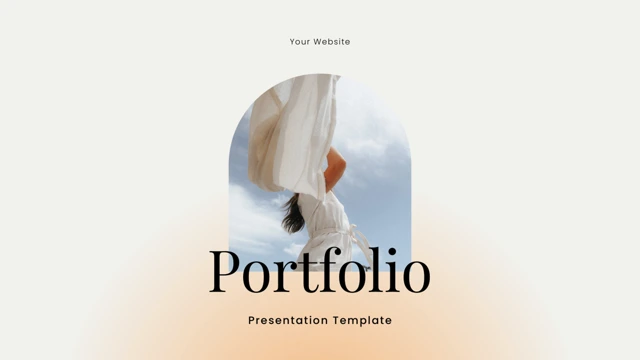
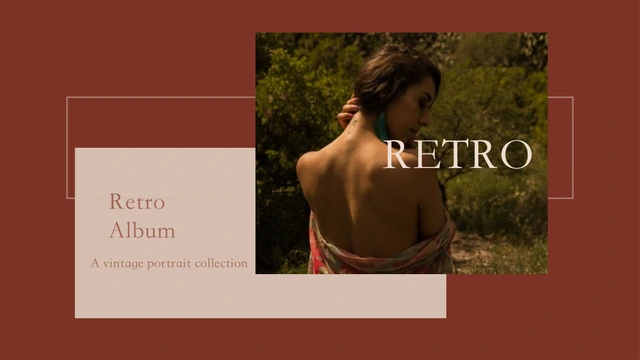
Vintage Pictorial Presentation Template opens with a portrait, layered rust-brown rectangles and a cream title panel. Its 15 widescreen pages combine fine outlines, white space and warm accents. Vintage Pictorial Presentation Template has four-part contents and dividers on pages 3, 6, 9 and 12, alternating the same outdoor portrait between left and right. Vintage Pictorial Presentation Template moves through single portraits, picture pairs and three-photo pages, with short captions and offset frames. Quiet interiors, outdoor scenes and changing image scale give the album a varied rhythm. Vintage Pictorial Presentation Template closes with a thank-you page that repeats the opening photograph and records Unsplash and STKaiti credits. Choose a sequence for your work and replace the English caption prompts with brief observations. Keep the supplied pictures as examples until you confirm permission to use them. Check every crop and retain required credits when sharing.
Key Features of Vintage Pictorial Presentation Template
Warm accents, fine outlines and varied portrait arrangements.
Rust-Brown and Cream Palette
Vintage Pictorial Presentation Template combines brown panels, cream captions and white space. Use warm accents to connect the images while keeping portraits prominent.
Four Alternating Dividers
Vintage Pictorial Presentation Template has four dividers that alternate a portrait between left and right. Add short chapter names that match the contents page.
Offset Picture Frames
Vintage Pictorial Presentation Template sets thin outlines beside picture edges. Keep the offset frames and inspect replacement crops before adding short captions.
Portrait Pairs
Vintage Pictorial Presentation Template pairs portraits at different scales and positions. Compare light and expression, then choose pictures from the same moment.
Three-Picture Pages
Vintage Pictorial Presentation Template arranges three pictures with short captions. Use related photos, keep subjects clear and write one observation for each group.
Serif Album Lettering
Vintage Pictorial Presentation Template uses serif lettering for large album labels. Keep titles brief and inspect fine captions when changing words or fonts.
How to Use Vintage Pictorial Presentation Template
Choose your portraits, write short captions and review the full album.
-
Choose a Picture Sequence
Browse 15 pages of Vintage Pictorial Presentation Template. Choose single, paired and three-photo layouts; plan four chapter names and captions that explain your pictures without crowding them.
-
Download a Working Copy
Get Vintage Pictorial Presentation Template with an active paid plan; daily and repeat downloads are unlimited. Keep the English original and edit a copy using photographs you may reuse.
-
Review the Finished Album
Check Vintage Pictorial Presentation Template for crops, short labels and readable captions. Keep required credits, export a PDF and reopen it to inspect every page before sharing the album.
Questions about Vintage Pictorial Presentation Template
How do I download Vintage Pictorial Presentation Template?
Sign in with an active paid plan and use the download button for Vintage Pictorial Presentation Template. Daily and repeat downloads are unlimited. Vintage Pictorial Presentation Template is an English PowerPoint (.pptx); edit a copy. Access to Vintage Pictorial Presentation Template provides the file, not a blanket licence for its photographs. Check permissions before sharing your album.
How many pages are in Vintage Pictorial Presentation Template?
Vintage Pictorial Presentation Template has 15 slides in 16:9. The sequence includes a cover, four-part contents, four dividers, eight picture-led content pages and a closing. Vintage Pictorial Presentation Template places its dividers on pages 3, 6, 9 and 12, with a photograph alternating sides. The final page repeats the cover image. Select the pages of Vintage Pictorial Presentation Template that fit your pictures; the finished album can be shorter.
Can I edit the text and colours in Vintage Pictorial Presentation Template?
Native text, shapes and picture objects in Vintage Pictorial Presentation Template can be edited in PowerPoint. Replace titles, chapter labels and captions. Vintage Pictorial Presentation Template uses rectangular panels and thin outlines; keep the picture frames separate from the photographed details. Photographed scenes are not editable drawings. Vintage Pictorial Presentation Template contains no native data charts or linked Excel workbook. After editing, inspect crops, layering and caption spacing.
Can I preview every page of Vintage Pictorial Presentation Template before downloading?
The gallery shows all 15 pages of Vintage Pictorial Presentation Template without purchase. Use the thumbnails or arrows to compare portraits, pairs, three-picture pages and dividers. Previews of Vintage Pictorial Presentation Template are static images from the English file, not a live editor. Enlarge pages to inspect captions and outlines. Looking through Vintage Pictorial Presentation Template helps you choose a suitable sequence before downloading.
Can other presentation editors open Vintage Pictorial Presentation Template?
Editors that import PPTX may open Vintage Pictorial Presentation Template, but serif fonts, transparency, line breaks and picture crops can change. Compare an imported Vintage Pictorial Presentation Template with the gallery, especially the cover lettering and offset outlines. Keep the 16:9 canvas rather than stretching its portraits. Export and reopen a PDF to inspect the album. An importer does not guarantee that Vintage Pictorial Presentation Template will look identical to the PowerPoint version.
Which fonts does Vintage Pictorial Presentation Template use?
Vintage Pictorial Presentation Template retains STKaiti (华文楷体) and theme references including DengXian, Arial and Times New Roman. No font files are embedded in Vintage Pictorial Presentation Template. The previews use an available STKaiti face; missing theme families may be substituted. Check Vintage Pictorial Presentation Template on your device, especially fine captions and large labels. If you choose another font, inspect line breaks and alignment throughout the album.
Are the slides in Vintage Pictorial Presentation Template translated?
All 15 website languages describe one English PPTX for Vintage Pictorial Presentation Template. Editable Chinese cover, chapter and caption wording in Vintage Pictorial Presentation Template is concise English. The photographs retain their original pixels, and genuine source credits remain. Short caption passages are editing prompts, not claims about the people shown. Translate the editable words in Vintage Pictorial Presentation Template for your audience and replace the examples with observations about your photographs.
Can I use Vintage Pictorial Presentation Template commercially?
Whole-template commercial and redistribution rights for Vintage Pictorial Presentation Template have not been independently verified. The source records Unsplash as a photograph source, but individual image identities and permissions have not been confirmed. Paid access to Vintage Pictorial Presentation Template does not establish those rights. Retain required credits and check permission for the photographs, layout and fonts before publishing an adaptation. A source-site label alone does not prove that every supplied picture can be reused.
How can I share Vintage Pictorial Presentation Template?
Share the public URL or use the page controls for Vintage Pictorial Presentation Template. Recipients can view previews; downloading requires their own eligible paid access. Before sharing edited Vintage Pictorial Presentation Template, remove private details and check picture and design rights. Keep credits, export a PDF and inspect the sequence. If you send Vintage Pictorial Presentation Template as PPTX, test the fonts and keep an editable copy of your finished album.