Electric Blue Fashion Portfolio Presentation Template: Gradient Cards, Photo Crops and Device Frames
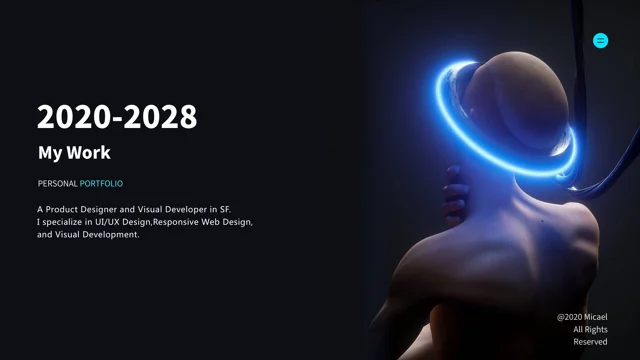
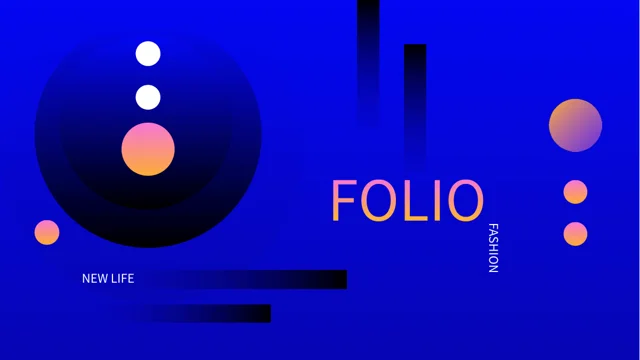
Electric Blue Fashion Portfolio Presentation Template sets portraits and still-life photographs against blue backgrounds. Electric Blue Fashion Portfolio Presentation Template adds pink-orange gradients, dark circles and fine white lines to frame the work. Electric Blue Fashion Portfolio Presentation Template opens with a bold cover, an introduction and a four-part contents page. Numbered dividers lead into circular portraits, brush-shaped photos, slanted panels and staggered image strips. Phone and laptop frames offer static settings for pictures, while gradient cards and small icons leave room for concise project notes. Flowers, coffee, interiors and fashion portraits provide varied sample subjects. Choose the layouts that suit your images and explain each project with a specific caption. Replace sample descriptions and check the crops when adding photographs with different proportions. The closing page echoes the cover, bringing the blue-and-gradient visual theme back at the end.
Key Features of Electric Blue Fashion Portfolio Presentation Template
Bright blue, warm gradients and varied picture layouts.
Blue and Gradient Contrast
Electric Blue Fashion Portfolio Presentation Template pairs blue with pink-orange gradients and dark circles. Keep white text readable and leave room around headings.
Four Numbered Sections
Electric Blue Fashion Portfolio Presentation Template uses four dividers and a matching contents page. Rename sections and update the contents labels together.
Circular and Brush Photo Crops
Electric Blue Fashion Portfolio Presentation Template combines circular portraits with a brush-shaped photo. Check subject placement when changing sample images.
Static Device Frames
Electric Blue Fashion Portfolio Presentation Template places photos in phone and laptop frames. Use these static layouts for an image beside short project notes.
Slanted and Staggered Pictures
Electric Blue Fashion Portfolio Presentation Template offers slanted portraits and stepped photo strips. Choose suitable images and check edges after replacement.
Gradient Cards and Captions
Electric Blue Fashion Portfolio Presentation Template overlays gradient cards on photos and adds icon notes. Keep captions focused on a clear project detail.
How to Use Electric Blue Fashion Portfolio Presentation Template
Choose your images, adapt the notes and review the finished sequence.
-
Select a Photo Sequence
Preview all 25 pages of Electric Blue Fashion Portfolio Presentation Template. Choose portraits, still-life photos and crops, then align the four contents entries with your project sequence.
-
Download and Add Your Work
Download Electric Blue Fashion Portfolio Presentation Template with an active paid plan; daily and repeat downloads are unlimited. Save a copy, replace sample photos and add short project notes.
-
Review Crops and Text
Check Electric Blue Fashion Portfolio Presentation Template at full size. Check circular and slanted crops, card text and device frames, then compare exported pages with the editable file.
Questions About Electric Blue Fashion Portfolio Presentation Template
How do I download Electric Blue Fashion Portfolio Presentation Template?
Sign in with an active paid plan to download Electric Blue Fashion Portfolio Presentation Template. Daily and repeat downloads of Electric Blue Fashion Portfolio Presentation Template are unlimited. Electric Blue Fashion Portfolio Presentation Template is supplied as an editable PowerPoint file. Save an untouched copy of Electric Blue Fashion Portfolio Presentation Template before replacing the photographs, changing the section titles or adapting the project notes to your own work.
What does Electric Blue Fashion Portfolio Presentation Template include?
Electric Blue Fashion Portfolio Presentation Template contains 25 slides in a 16:9 format. Electric Blue Fashion Portfolio Presentation Template includes a cover, introduction, four-part contents page, four numbered dividers and a matching closing page. The Electric Blue Fashion Portfolio Presentation Template body combines portraits, still-life photographs, gradient cards, icon notes and static device frames. Review the full Electric Blue Fashion Portfolio Presentation Template preview sequence to choose the picture layouts and supporting notes that fit your material.
How are the sections in Electric Blue Fashion Portfolio Presentation Template arranged?
Electric Blue Fashion Portfolio Presentation Template places numbered dividers on pages 4, 9, 16 and 20. Update the four Electric Blue Fashion Portfolio Presentation Template contents entries when you rename or reorder those sections. The Electric Blue Fashion Portfolio Presentation Template pages between dividers provide different photo crops and spaces for project explanations. Keep each Electric Blue Fashion Portfolio Presentation Template section focused on a clear theme, such as a project, image series or aspect of your creative process, and use short headings that fit the existing layout.
How do I replace photos in Electric Blue Fashion Portfolio Presentation Template?
Electric Blue Fashion Portfolio Presentation Template uses circles, brush shapes, slanted panels, rectangular pictures and staggered strips. After replacing an Electric Blue Fashion Portfolio Presentation Template image, check which parts remain visible within its crop. The Electric Blue Fashion Portfolio Presentation Template sample subjects include portraits, flowers, coffee and interiors; choose your own images according to the story you want to tell. Inspect every Electric Blue Fashion Portfolio Presentation Template picture at presentation size so faces, objects and important details are not unintentionally cut off.
Are the device frames in Electric Blue Fashion Portfolio Presentation Template interactive?
Electric Blue Fashion Portfolio Presentation Template uses phone and laptop frames as static picture layouts. The Electric Blue Fashion Portfolio Presentation Template frames do not by themselves demonstrate a working app or interactive prototype. Treat the Electric Blue Fashion Portfolio Presentation Template arrow symbols, icons and button-like shapes as design elements unless you deliberately configure your own actions. Replace the Electric Blue Fashion Portfolio Presentation Template sample pictures and add notes explaining what the viewer should notice, then test any links or interactions you choose to add separately.
Does Electric Blue Fashion Portfolio Presentation Template contain native data charts?
Electric Blue Fashion Portfolio Presentation Template does not contain native data charts or embedded chart workbooks. The Electric Blue Fashion Portfolio Presentation Template circles, numbered notes and icons organize visual explanations rather than calculate results. Use Electric Blue Fashion Portfolio Presentation Template captions to describe your own process or image choices without implying measured performance. If your Electric Blue Fashion Portfolio Presentation Template presentation needs numerical evidence, add a suitable chart with verified data and a clear explanation of what it measures.
Which fonts does Electric Blue Fashion Portfolio Presentation Template use?
Electric Blue Fashion Portfolio Presentation Template uses Source Han Sans SC Regular for its final text and does not embed fonts. Install the matching font if your software substitutes a different typeface when editing Electric Blue Fashion Portfolio Presentation Template. Check Electric Blue Fashion Portfolio Presentation Template small labels, numbered notes and text over gradient panels after font changes. The Electric Blue Fashion Portfolio Presentation Template cover and closing gradient lettering is made from vector outlines, so changing those letter shapes requires replacing or editing the graphics rather than typing into a text box.
What should I write on the cards in Electric Blue Fashion Portfolio Presentation Template?
Electric Blue Fashion Portfolio Presentation Template provides gradient cards, short labels and icon-led notes beside or over pictures. Use each Electric Blue Fashion Portfolio Presentation Template text area for a specific detail, such as the project aim, composition choice or your contribution. Replace the Electric Blue Fashion Portfolio Presentation Template sample guidance with your own concise wording rather than treating it as a finished case study. Check Electric Blue Fashion Portfolio Presentation Template text against both blue backgrounds and brighter gradient areas, keeping the visual hierarchy clear without crowding the photographs.
What should I check before sharing Electric Blue Fashion Portfolio Presentation Template?
Review Electric Blue Fashion Portfolio Presentation Template section names, project descriptions and image choices. Confirm that Electric Blue Fashion Portfolio Presentation Template sample photographs are not being presented as evidence of work you did not create. Check Electric Blue Fashion Portfolio Presentation Template small captions, image crops, white text and gradient panels at full size. Compare exported Electric Blue Fashion Portfolio Presentation Template pages with the editable file, including the device frames and matching closing design, before sending or presenting the portfolio.