Coral Frame Portfolio Presentation Template: Coral Blocks, Grey Square Frames and Sunset Photographs
Coral Frame Portfolio Presentation Template pairs white pages with coral blocks, thin grey square outlines and small line icons. Coral Frame Portfolio Presentation Template places sunset couple photographs in overlapping crops, tall panels and broad image bands. Coral Frame Portfolio Presentation Template includes a four-photo-card row and a three-picture collage with separate caption strips. Some pages layer short note cards or translucent coral text panels over a photograph. Tablet and laptop pictures offer static frames for a visual project. A manual three-option price comparison and four schedule cards offer additional structures to adapt. The menu labels, search field and small button-like elements provide a website-inspired appearance. Choose images you can accurately describe, replace the sample names, captions and times, and treat prices as examples rather than real offers. The final Thanks page returns to the coral blocks and square outlines.
Key Features of Coral Frame Portfolio Presentation Template
Coral accents, sunset photography and clean square-frame compositions.
Coral Blocks and Grey Outlines
Coral Frame Portfolio Presentation Template combines coral blocks with grey square outlines. Keep notes brief and check contrast over photos or colored panels.
Sunset Photo Galleries
Coral Frame Portfolio Presentation Template has a four-card row and a three-photo collage. Choose related pictures and check crops before writing caption strips.
Tall and Wide Image Panels
Coral Frame Portfolio Presentation Template uses tall photographs and wide sunset bands. Choose pictures for each frame and avoid stretching subjects to fill space.
Notes Over Photographs
Coral Frame Portfolio Presentation Template layers white cards and coral panels over photos. Keep subjects visible and check that notes are readable in bright areas.
Static Tablet and Laptop Frames
Coral Frame Portfolio Presentation Template includes tablet and laptop picture frames. Fit images to the screen area and check crops; these are static mockups.
Sample Prices and Schedule Cards
Coral Frame Portfolio Presentation Template has three price columns and four schedule cards. Replace amounts, labels and times with verified project information.
How to Use Coral Frame Portfolio Presentation Template
Choose the image layouts, replace the examples and check the full sequence.
-
Choose the Photo Sequence
Browse all 19 pages of Coral Frame Portfolio Presentation Template. Choose gallery, tall-photo and device-frame layouts for your images, then outline the caption or note for each selected page.
-
Download and Personalize
Download Coral Frame Portfolio Presentation Template with an active paid plan; daily and repeat downloads are unlimited. Save a copy and replace example titles, captions, prices and schedule times.
-
Check Photos and Example Claims
Review Coral Frame Portfolio Presentation Template crops, note contrast and price labels. Compare exports with the editable file and check that captions, schedules and the closing describe your work.
Questions About Coral Frame Portfolio Presentation Template
How do I download Coral Frame Portfolio Presentation Template?
Access Coral Frame Portfolio Presentation Template by signing in with an active paid plan. Daily and repeat downloads of Coral Frame Portfolio Presentation Template are unlimited. Coral Frame Portfolio Presentation Template is delivered as an editable PowerPoint file. Save a separate Coral Frame Portfolio Presentation Template copy before replacing photographs, adapting price columns or rearranging the image sequence, so you can refer back to the original coral panels and square-frame compositions during editing.
What is included in Coral Frame Portfolio Presentation Template?
Coral Frame Portfolio Presentation Template contains 19 widescreen slides with an original ratio close to 16:9. Coral Frame Portfolio Presentation Template includes an opening page, a Romero graphic page, photograph layouts and a Thanks closing. The Coral Frame Portfolio Presentation Template sequence offers a four-photo-card row, a three-picture collage, schedule cards, a manual price comparison and tablet/laptop picture frames. Coral Frame Portfolio Presentation Template has no native charts, tables or chart workbooks. Review every Coral Frame Portfolio Presentation Template preview; the four menu words are decorative labels, not four numbered chapter dividers.
Can I replace the photographs in Coral Frame Portfolio Presentation Template?
Coral Frame Portfolio Presentation Template uses static sunset couple photographs and a suited-man cutout. Replace a Coral Frame Portfolio Presentation Template image in presentation software and inspect its crop, especially where multiple frames split or overlap the same subject. Keep the Coral Frame Portfolio Presentation Template people and scenes distinct from your own identity, clients or work unless those descriptions are accurate. Review the Coral Frame Portfolio Presentation Template tall panels, broad photo bands and caption strips together so the new images fit both the frame and the accompanying explanation.
How do the device frames in Coral Frame Portfolio Presentation Template work?
Coral Frame Portfolio Presentation Template uses static tablet and laptop images around photograph areas. These Coral Frame Portfolio Presentation Template mockups do not create a live device screen, app or interactive demonstration. Place a suitable image within the Coral Frame Portfolio Presentation Template screen area, then check its alignment and crop against the surrounding frame. If you move or resize a Coral Frame Portfolio Presentation Template mockup, review the picture and device frame together so they remain aligned rather than stretching or clipping one another.
Are the prices in Coral Frame Portfolio Presentation Template actual product offers?
Coral Frame Portfolio Presentation Template includes a three-option comparison with example dollar amounts. The Coral Frame Portfolio Presentation Template price columns do not establish actual products, subscriptions or current offers from PPT AI. Change the Coral Frame Portfolio Presentation Template sample amounts and feature labels only to information you can verify, or choose another layout if you are not presenting an offer. The Coral Frame Portfolio Presentation Template rows are manually arranged shapes, not a native table or spreadsheet-linked price calculator, so check every edited item separately.
Do the menus and schedules in Coral Frame Portfolio Presentation Template function as website controls?
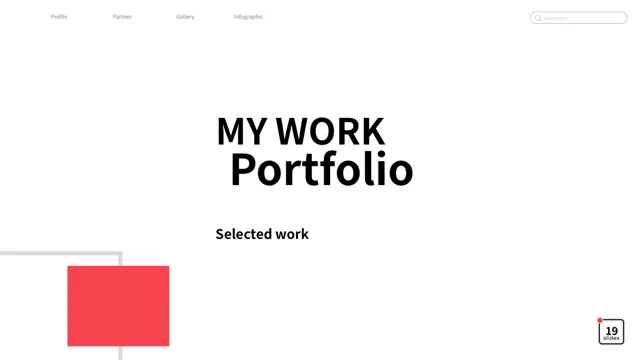
Coral Frame Portfolio Presentation Template has menu words, a search-style field, small button-like elements and four schedule cards. Those Coral Frame Portfolio Presentation Template elements provide a website-inspired visual style without implementing search, bookings or a working navigation system. Replace the Coral Frame Portfolio Presentation Template example times with accurate information if you keep the schedule layout. Give the Coral Frame Portfolio Presentation Template labels and captions a clear purpose in your presentation rather than implying that a decorative control opens a live service.
Which fonts does Coral Frame Portfolio Presentation Template use?
Coral Frame Portfolio Presentation Template uses Source Han Sans SC Regular and Bold for its final editable text. Coral Frame Portfolio Presentation Template has no embedded font files, so install the matching font if your editor substitutes another typeface. Compare Coral Frame Portfolio Presentation Template headings, price labels, small captions and button-like text after a font change. Some Coral Frame Portfolio Presentation Template source lettering is retained as native drawn shapes rather than ordinary font text; inspect those graphics separately from the editable notes when changing the design.
What does the Romero name in Coral Frame Portfolio Presentation Template mean?
Coral Frame Portfolio Presentation Template retains the source Romero lettering as a drawn graphic. It does not identify your account or establish that the people shown in Coral Frame Portfolio Presentation Template are Romero, your clients or your own models. Keep that Coral Frame Portfolio Presentation Template source information distinct from verified names and captions you add. Using Coral Frame Portfolio Presentation Template does not itself confirm authorship of the photographs or grant broader permission than the applicable source terms; avoid presenting the sample imagery as personal evidence or endorsement.
What should I review before sharing Coral Frame Portfolio Presentation Template?
Read the Coral Frame Portfolio Presentation Template captions, names, price comparisons and schedule labels against your verified information. Check Coral Frame Portfolio Presentation Template image crops and text contrast, especially on translucent coral panels and bright sunset photographs. Review the Coral Frame Portfolio Presentation Template tablet/laptop frames, photo-card rows and closing page at the size you intend to present. Compare every Coral Frame Portfolio Presentation Template exported page with the editable file. Share Coral Frame Portfolio Presentation Template after replacing sample guidance and confirming that the final notes accurately describe your project.