Morimoto Olive Presentation Template: olive panels, botanical photos and quiet editorial pages
Morimoto Olive Presentation Template opens with MORIMOTO lettering and iridescent light streaks on an olive background. Its 29 slides retain the original approximately 1.79:1 proportions, with warm off-white space, fine rules and large Cloverie labels. Morimoto Olive Presentation Template places leaves, flowers, succulents and portraits beside short writing areas. Morimoto Olive Presentation Template includes six manual colour swatches, a letter specimen, three sample profile cards and four icon tiles; there are no native charts or workbooks. The final two pages show static phone and laptop compositions rather than a working application. Morimoto Olive Presentation Template offers independent English editing guidance, while the original article quotation and Judith Achumba-Wöllenstein credit remain source material. Original wording is retained in slide notes. The Chinese PowerPoint tutorial on page 5 remains in the file; website translations describe the same downloadable deck.
Key Features of Morimoto Olive Presentation Template
Olive colour, plant pictures and space for a concise visual story.
Olive Editorial Palette
Morimoto Olive Presentation Template pairs olive panels with pale pages and rules. Edit the six colour swatches and check text against each background.
Botanical Photo Studies
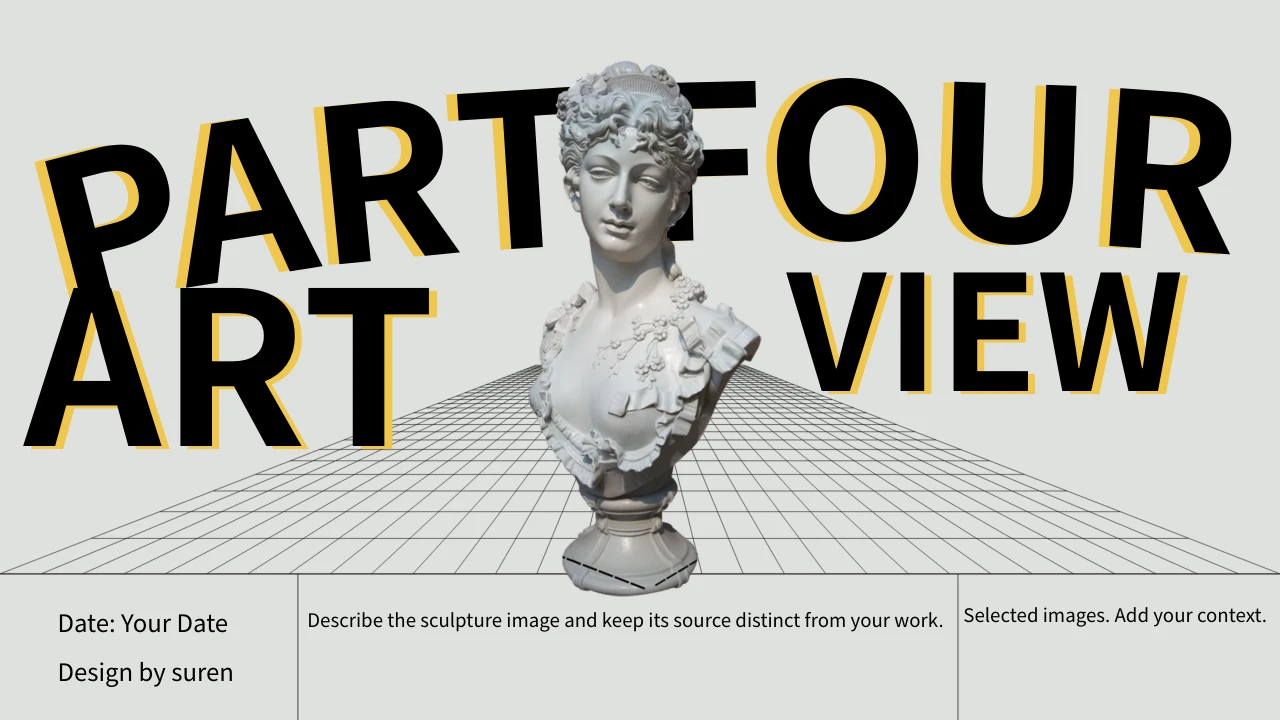
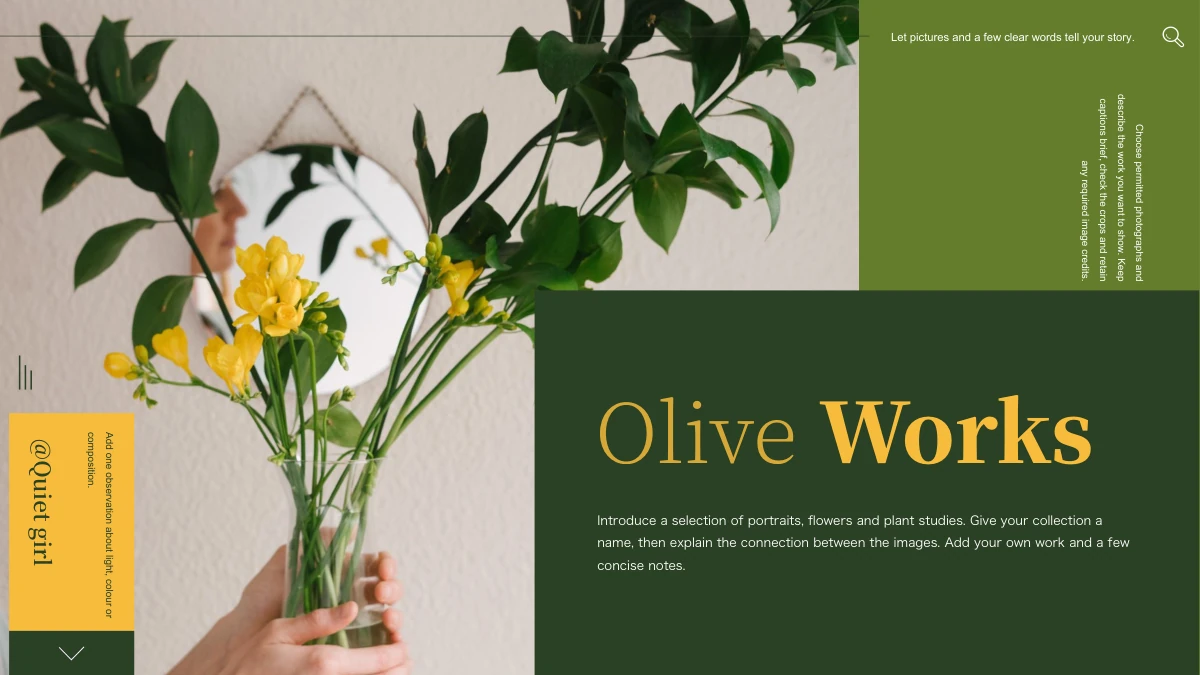
Morimoto Olive Presentation Template pairs plant photos with wide margins. Caption visible details and check the picture crop after each replacement.
Type and Vertical Labels
Morimoto Olive Presentation Template includes letter samples and vertical labels. Check headings, alphabet spacing and text contrast after changing a font.
Three Sample Profile Cards
Morimoto Olive Presentation Template has three profile cards beneath portraits. Add your own names and roles; the pictured people are not a verified team.
Manual Icon Compositions
Morimoto Olive Presentation Template puts four numbered icons beside a text panel. Use them for your points; these symbols are separate from chart data.
Static Device Previews
Morimoto Olive Presentation Template ends with phone and laptop pictures. Check crops and screen placement; these static slides do not operate an app.
How to Use Morimoto Olive Presentation Template
Choose the page order, download the file and adapt the picture captions.
-
Select an Editorial Sequence
Review all 29 pages of Morimoto Olive Presentation Template. Choose plant studies, profile cards and device views that fit your subject, then plan the order and caption needed for each picture.
-
Download the Editable File
Get Morimoto Olive Presentation Template with an active paid plan. Downloads have no daily limit and can be repeated; keep the downloaded file as a reference before making your own changes.
-
Replace Text and Check Pictures
Edit Morimoto Olive Presentation Template with your own captions, roles and colour choices. Review image crops, typography and the included tutorial, then check the saved deck before sharing it.

Questions about Morimoto Olive Presentation Template
How do I download Morimoto Olive Presentation Template?
Morimoto Olive Presentation Template can be downloaded with an active paid plan. Open the download control on Morimoto Olive Presentation Template after signing into the account with that plan. Morimoto Olive Presentation Template has no daily download limit, so you may download it again when needed. Keep the downloaded Morimoto Olive Presentation Template as a reference and edit a separate working copy. Review the pages of Morimoto Olive Presentation Template before deciding which layouts belong in your presentation.
How many pages are in Morimoto Olive Presentation Template?
Morimoto Olive Presentation Template has 29 slides in the original approximately 1.79:1 format. Morimoto Olive Presentation Template moves through palette studies, botanical pictures, portrait cards and static device views without a fixed four-chapter divider sequence. Choose an order for Morimoto Olive Presentation Template that suits the pictures and text you intend to show. The last page of Morimoto Olive Presentation Template is a laptop composition rather than a Thanks slide. Keep the proportions of Morimoto Olive Presentation Template when moving layouts between presentations to avoid unintended picture cropping.
What can I edit in Morimoto Olive Presentation Template?
Morimoto Olive Presentation Template contains editable ordinary headings, captions, profile labels and coloured layout shapes. The six swatches in Morimoto Olive Presentation Template are manual shape compositions, so choose their fills directly instead of looking for chart data. Morimoto Olive Presentation Template has no native charts, data tables or embedded workbooks. Pictures in Morimoto Olive Presentation Template remain image assets; text baked into an image is separate from an ordinary text box. After adapting Morimoto Olive Presentation Template, check the contrast of small side labels and the balance between pictures and writing areas.
Can I preview every slide of Morimoto Olive Presentation Template?
The gallery for Morimoto Olive Presentation Template includes all 29 final pages. Look through Morimoto Olive Presentation Template in page order to compare the plant photographs, portrait cards and device compositions. Use the previews of Morimoto Olive Presentation Template to choose layouts with enough space for your own captions. A static preview of Morimoto Olive Presentation Template shows page composition and does not demonstrate video playback. Check the tutorial in the downloaded Morimoto Olive Presentation Template in the editor you plan to use.
Can I use Morimoto Olive Presentation Template in another slide editor?
Morimoto Olive Presentation Template is supplied as a PowerPoint PPTX file. You may try opening Morimoto Olive Presentation Template in another editor that supports this format, but the result needs review. In Morimoto Olive Presentation Template, inspect cropped pictures, vertical labels, overlapping panels and the static device compositions after import. The Chinese tutorial in Morimoto Olive Presentation Template may behave differently if that editor does not support the embedded video. Compare the saved Morimoto Olive Presentation Template with the supplied previews before presenting or exporting a PDF.
Which fonts does Morimoto Olive Presentation Template use?
Morimoto Olive Presentation Template uses Source Han Sans SC Regular and Bold for ordinary editable text. Font files are not embedded in Morimoto Olive Presentation Template; install suitable fonts or make a deliberate substitution in your editor. The type specimen in Morimoto Olive Presentation Template helps you review letters, numbers and punctuation at different sizes. Inspect large Cloverie labels and narrow captions in Morimoto Olive Presentation Template after changing a font. Keep the source quotation and its credit legible in Morimoto Olive Presentation Template, and check contrast on both the pale pages and olive panels.
Is the whole file of Morimoto Olive Presentation Template in English?
Morimoto Olive Presentation Template uses independent English guidance for its ordinary editing examples. Morimoto Olive Presentation Template also retains original visible source wording in slide notes, separate from that new guidance. The PowerPoint tutorial on page 5 of Morimoto Olive Presentation Template remains in Chinese, so the package is not entirely English. The article quotation and source credit in Morimoto Olive Presentation Template remain attributed source material rather than authorship claims for your own work. Every website language for Morimoto Olive Presentation Template describes this same downloadable file; selecting another site language does not produce a separate translated deck.
How should I use the source material in Morimoto Olive Presentation Template?
Morimoto Olive Presentation Template includes supplied photographs, a tutorial and an original article quotation with the Judith Achumba-Wöllenstein credit. That credit in Morimoto Olive Presentation Template belongs to the source quotation context, not to all pictures or your new editing guidance. Do not treat the pictured people or sample profiles in Morimoto Olive Presentation Template as verified identities, colleagues or research participants. Membership access to Morimoto Olive Presentation Template does not grant additional rights over included third-party material. Before publishing work based on Morimoto Olive Presentation Template, confirm the material permissions and any quotation context relevant to your intended use.
How can I share an edited Morimoto Olive Presentation Template?
Adapt Morimoto Olive Presentation Template with your own picture captions, roles and page order. Check the saved Morimoto Olive Presentation Template for font changes, crop shifts and long labels before showing it to others. Keep source references with the photographs and quotation used in Morimoto Olive Presentation Template. You can export Morimoto Olive Presentation Template to PDF for a static review, while testing the video separately in the presentation editor. Share the final Morimoto Olive Presentation Template in a format your audience can open, with permissions appropriate to any included source material.