Green Leaf Teaching Presentation Template: leaf borders and a clear lesson sequence
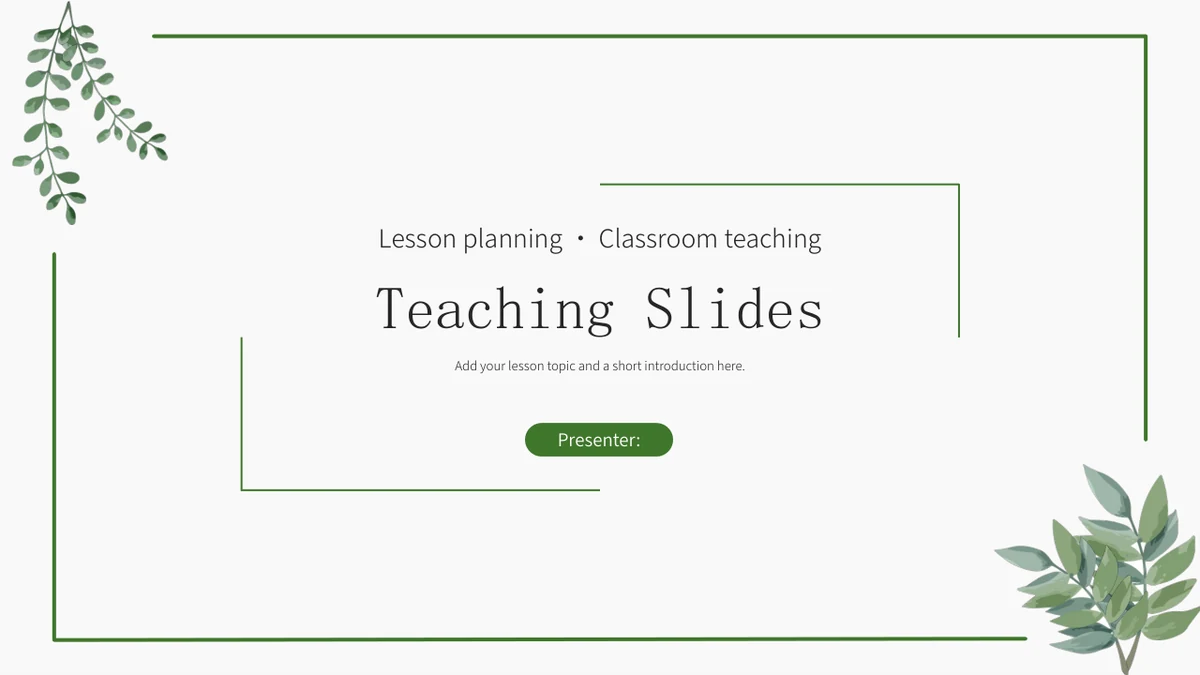
Green Leaf Teaching Presentation Template sets its pages inside a fine green border, with hanging foliage at the upper left and a fuller branch at the lower right. The white background leaves room for an opening title and the four-part teaching outline. A numbered divider introduces each part: review, new learning, key difficulties and homework. Green Leaf Teaching Presentation Template moves between book photographs, short notes and diagrams rather than relying on a single repeated content layout. Two rounded photo strips can pair related explanations, while four downward arrow tags and five rising steps give ordered material a visible sequence. Later pages use small white pictograms to separate ideas, followed by a two-column list and a closing invitation for questions. Choose the layouts around your actual lesson, shorten the sample instructions and give each diagram a meaning your audience can follow.
Key Features of Green Leaf Teaching Presentation Template
Leaf details, book photographs and a four-part teaching outline.
Fine borders and corner leaves
Green Leaf Teaching Presentation Template has fine green borders and leafy corners on white pages. Keep headings within the frame and leave the foliage clear.
Four numbered teaching sections
Green Leaf Teaching Presentation Template has four teaching dividers: review, learning, key points and homework. Give each section a purpose in your lesson.
Book photographs in varied crops
Green Leaf Teaching Presentation Template uses a large book image and two circular photo crops. When changing photos, check the crop inside each text strip.
Arrow tags and rising steps
Green Leaf Teaching Presentation Template offers four downward arrows and five rising steps. Use short labels to explain the order your learners should follow.
Small icons for distinct points
Green Leaf Teaching Presentation Template places icons along a line and around a pale diamond. Explain each symbol in the text beside it to clarify your point.
Space for notes and questions
Green Leaf Teaching Presentation Template has a three-column icon page and a two-column bullet list. Check your notes before the final question invitation.
How to Use Green Leaf Teaching Presentation Template
Plan your sections, adapt the layouts and check the finished lesson.
-
Build a four-part outline
Review all 16 pages of Green Leaf Teaching Presentation Template. Decide what learners should recall, understand and practise, then assign the relevant layouts to each section of your lesson.
-
Save a working PowerPoint copy
Download Green Leaf Teaching Presentation Template with an active paid plan. Paid members have unlimited daily and repeat downloads. Edit a copy when replacing the sample text and pictures.
-
Explain the diagrams and review
Adapt Green Leaf Teaching Presentation Template with your own examples. Give arrows, steps and icons clear labels, check the photo crops and review the finished lesson on your intended screen.
Questions about Green Leaf Teaching Presentation Template
How do I download Green Leaf Teaching Presentation Template?
Sign in with an active paid plan and use the download button on Green Leaf Teaching Presentation Template. The file is a PowerPoint presentation that you can save before editing. Paid members can download Green Leaf Teaching Presentation Template without a daily limit, including repeat downloads. Browse Green Leaf Teaching Presentation Template first to decide which layouts fit the lesson you have in mind. Keep one unchanged Green Leaf Teaching Presentation Template copy and work on a separate version for your content. Green Leaf Teaching Presentation Template provides a visual starting point, so prepare your own explanations and learning material.
How many slides does Green Leaf Teaching Presentation Template contain?
Green Leaf Teaching Presentation Template has 16 slides in a 16:9 widescreen format. Its contents page introduces four teaching sections, with dividers on pages 3, 6, 10 and 13. Green Leaf Teaching Presentation Template also includes an opening and a closing invitation for questions. Between the dividers, Green Leaf Teaching Presentation Template uses photographs, arrow labels, rising steps and icon arrangements. Choose the pages of Green Leaf Teaching Presentation Template that support the level of detail you need. If you remove a section, update the contents in your Green Leaf Teaching Presentation Template copy so the outline matches the finished lesson.
Can I change the text and colors in Green Leaf Teaching Presentation Template?
The text and diagram shapes in Green Leaf Teaching Presentation Template can be adapted in PowerPoint. Picture content in Green Leaf Teaching Presentation Template stays within the image, so book lettering and photographic details are not separate editable words. Replace the sample notes in Green Leaf Teaching Presentation Template with short explanations that fit their boxes. Check arrow labels and narrow step columns when you edit Green Leaf Teaching Presentation Template. The file contains no native data charts or embedded spreadsheets. If you need numerical results in Green Leaf Teaching Presentation Template, add your own verified material and choose a suitable way to explain it.
Can I preview every page of Green Leaf Teaching Presentation Template?
Yes. Green Leaf Teaching Presentation Template has a complete gallery of all 16 pages from the English PowerPoint file. Compare the four chapter dividers with the layouts that follow them in Green Leaf Teaching Presentation Template. Enlarge Green Leaf Teaching Presentation Template to inspect the space in the narrow step columns and the circle-cropped photographs. The two-column list near the end of Green Leaf Teaching Presentation Template offers a different amount of room from the icon pages. Select pages from Green Leaf Teaching Presentation Template according to the explanation each one needs, then arrange them into a lesson sequence.
Will Green Leaf Teaching Presentation Template work in another presentation editor?
Try a copy of Green Leaf Teaching Presentation Template in an application that supports importing PowerPoint files. The download is a .pptx file rather than a separate native edition for each editor. After importing Green Leaf Teaching Presentation Template, compare the thin borders, photo crops and small pictograms with the preview. Check that the leaf illustrations in Green Leaf Teaching Presentation Template keep their proportions and positions. Read the compact text columns in Green Leaf Teaching Presentation Template for changed line breaks. Keep the PowerPoint copy of Green Leaf Teaching Presentation Template and inspect any exported PDF before sending it to learners or colleagues.
Which fonts are used in Green Leaf Teaching Presentation Template?
Green Leaf Teaching Presentation Template uses Source Han Sans CN Normal, Source Han Sans CN Light, SimSun and Wingdings. No font files are embedded in Green Leaf Teaching Presentation Template. Match these fonts when you open Green Leaf Teaching Presentation Template to keep the heading and body spacing consistent. If a font is unavailable, inspect your Green Leaf Teaching Presentation Template copy after choosing a substitute. Pay particular attention to the four bullet marks and the compact columns in Green Leaf Teaching Presentation Template. Check the finished Green Leaf Teaching Presentation Template presentation on your intended screen before sharing it.
Are the slides in Green Leaf Teaching Presentation Template in English?
Green Leaf Teaching Presentation Template comes as one English PowerPoint file. Its titles, section names and sample instructions are in English, and the book photographs retain their original English lettering. All 16 Green Leaf Teaching Presentation Template previews show that same file. Choosing another website language changes the Green Leaf Teaching Presentation Template page description rather than creating a separate translated deck. Replace the sample content in your Green Leaf Teaching Presentation Template copy with the explanation and exercises intended for your learners. Review your Green Leaf Teaching Presentation Template lesson for any instructions that still need your own content.
Can I use Green Leaf Teaching Presentation Template commercially?
Paid access to Green Leaf Teaching Presentation Template allows a download without expanding rights to third-party photographs, illustrations or fonts. Check the permissions that apply to Green Leaf Teaching Presentation Template and any assets you retain for your intended use. Replace the book photographs in Green Leaf Teaching Presentation Template if their permissions do not meet your needs or remain uncertain. Your own additions to Green Leaf Teaching Presentation Template also need suitable rights. Keep the relevant terms with Green Leaf Teaching Presentation Template and check the teaching examples before distributing a finished presentation. No broader commercial license follows from editing the layout.
How should I share Green Leaf Teaching Presentation Template?
Share the Green Leaf Teaching Presentation Template page link to show its design and preview. That page link does not include changes in your working presentation. For an edited Green Leaf Teaching Presentation Template lesson, send the finished file or an export through a suitable channel. Read the remaining sample instructions in Green Leaf Teaching Presentation Template before sharing it with learners. Check the four-part contents, section names and exercise notes in Green Leaf Teaching Presentation Template against the pages you retained. Keep an editable Green Leaf Teaching Presentation Template copy for later lessons and inspect the version your audience will actually receive.